


A sales director pings you on Thursday afternoon. The customer wants to sign by Friday, and the contract is still waiting on two approvals nobody can locate. You dig through email, find version 4 (or was it 5?), and chase signatures by hand.
The deal closes late. Nobody records why.
That’s what manual contract work costs. It rarely shows up as one big failure. It shows up as deals that slip, renewals that roll over unnoticed, and a legal team that spends its week on admin instead of advice.
Contract management automation hands the repetitive parts of that work to software: drafting from templates, routing approvals, sending reminders, extracting data. Your lawyers keep the judgment calls. Here’s what to automate, in what order, and how to tell whether it’s working.
At a glance
- Automate high-volume, rule-based steps first: templates, approvals, signature, reminders.
- Use AI for review and data extraction, with a lawyer validating the output.
- Start with one contract type, measure cycle time, then expand.
- The biggest payoff: contracts signed sooner and renewals caught before they auto-renew.
What is contract management automation?
Contract management automation is the use of software to carry out repetitive contract tasks without manual intervention: generating drafts from approved templates, routing documents for approval and signature, extracting key data, and alerting the right people before deadlines. It applies to every stage of the contract lifecycle, from request to renewal.
Typical automated tasks include:
- contract drafting from templates and forms
- approval routing based on contract type or value
- e-signature requests once approvals are complete
- data extraction: parties, dates, amounts, clauses
- deadline and renewal reminders
- reporting on contract volume and cycle times
Contract automation vs. contract lifecycle management (CLM)
Contract lifecycle management (CLM) is the discipline, and the platform, that manages every stage of a contract. Automation is what makes a CLM worth paying for: the rules, workflows and AI that remove manual steps from each stage.
A well-organized shared drive gives you storage. Automation starts when the system acts on your contracts without someone having to remember to. For a full breakdown of platform features, see our guide to CLM software.
Why manual contract management stops scaling
Every contract passes through drafting, negotiation, approval, signature, follow-up and renewal. Done manually, each handoff depends on someone’s inbox and someone’s memory.
That holds at 50 contracts a year. Spread several thousand across sales, procurement and HR, and it breaks: expiry dates get missed, versions multiply, and every regulatory change triggers hours of clause-by-clause searching. For a closer look at these pressures, read our article on the main challenges of contract management.
What you can automate across the contract lifecycle
Not every step deserves automation. The best candidates are high-volume, rule-based and expensive when they go wrong.
| Lifecycle stage | What gets automated | What changes for you |
|---|---|---|
| Request and drafting | Drafts generated from a form, using approved templates and clauses | Business teams produce standard contracts without queuing for legal |
| Review and negotiation | AI comparison of incoming clauses against your playbook | Counsel goes straight to the clauses that deviate, instead of reading 40 pages |
| Approval | Sequential or parallel validation workflows, with notifications and comments | No more chasing approvers by email; you can see who’s holding things up |
| Signature | E-signature request sent once the last approval is in | Contracts go out for signature the day they’re approved |
| Storage and data | AI extraction of parties, dates and amounts into a summary sheet | Your repository becomes data you can search and filter |
| Follow-up and renewal | Reminders set by contract type, for example 90 and 30 days before expiry | Tacit renewals get flagged before the notice window closes |
| Reporting | Dashboards and custom KPIs built from contract data | You can show leadership volumes, cycle times and risk exposure |
Where AI fits: from storing contracts to analyzing them
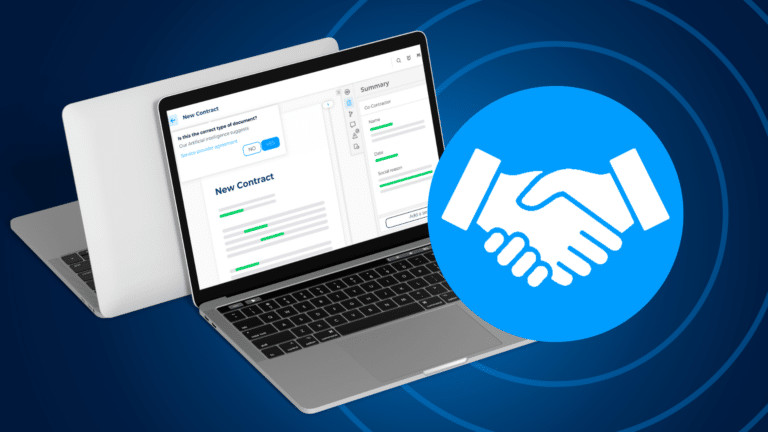
Rule-based automation handles the predictable steps. AI handles the text. It reads contracts, pulls out key information, identifies contract types and flags clauses that differ from your standards.
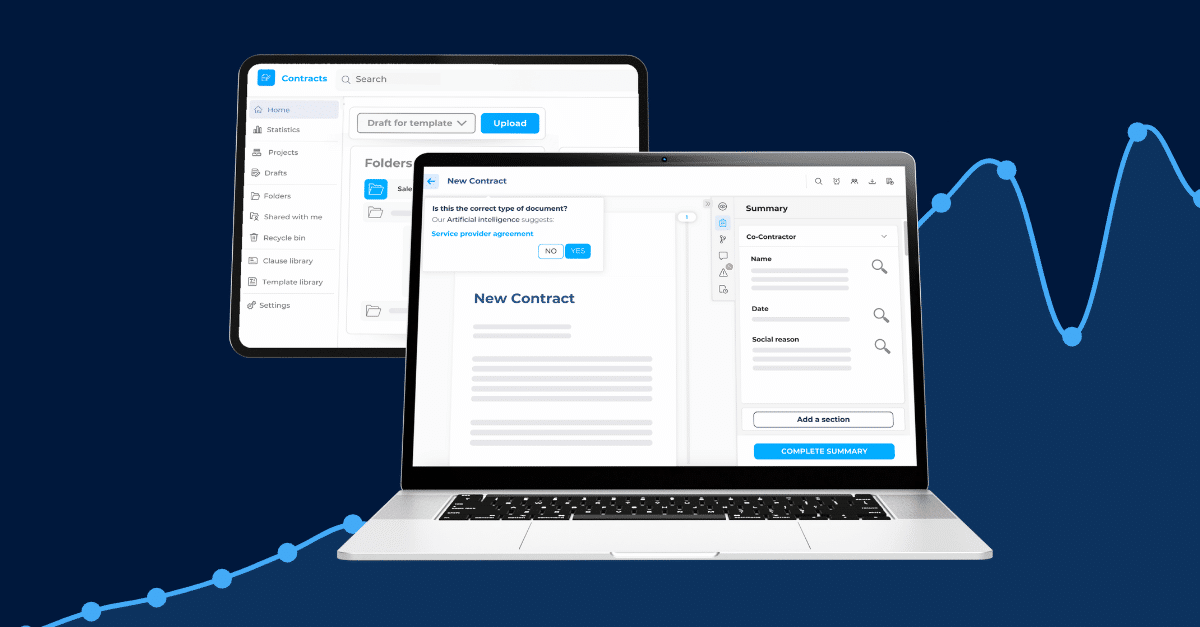
That turns a folder of PDFs into a database you can question. Which supplier contracts renew next quarter? Which agreements have no liability cap? You get the answer without opening each file. AI summary sheets put the key data for each contract on one screen.
One rule matters more than any feature: a lawyer stays in control. In DiliTrust, the information AI identifies in a contract is submitted to the user for validation before it’s recorded, and answers from the AI assistant are meant to be reviewed by a legal professional.
How to automate contract management in 6 steps
- Map your current contract process.
- Pick one contract type and set baseline KPIs.
- Standardize templates and your clause library.
- Configure approval workflows and e-signature.
- Turn on reminders and AI data extraction.
- Measure, train users and expand.
1. Map your current contract process
Before you buy or configure anything, trace one real contract from request to signature. Who asked for it? How many emails did it take? Where did it sit longest?
The longest delays usually sit between steps: waiting for approvals, hunting for the right version, noticing a deadline too late. Those gaps are where automation pays off first.
2. Pick one contract type and set baseline KPIs
Start narrow. NDAs, standard sales agreements or supplier contracts work well because they’re high volume and low variation.
Record where you stand today:
- average time from request to signature
- number of contracts waiting on approval right now
- renewals missed or caught late in the past 12 months
- weekly hours legal spends on standard contracts
Without a baseline, you can’t prove the project worked. You’ll need that proof at the next budget round.
3. Standardize templates and your clause library
Automation multiplies whatever you feed it. If five versions of your NDA are in circulation, automating them gives you five versions, faster.
Agree on one approved template per contract type, then build a clause library with your fallback positions. In DiliTrust, updating a clause in the Clause Library updates every template that uses it, so a regulatory change means one edit instead of fifty. A contract generation form then lets sales or procurement enter the deal details and get a compliant first draft.
4. Configure approval workflows and e-signature
Write your delegation of authority as rules: who approves which contract type, above which amount, in what order. Then build those rules into validation workflows.
Use sequential approval when order matters (finance before the CEO, say) and parallel approval when it doesn’t. Connect your electronic signature provider so the request goes out as soon as the last approval lands. Our guide to digital contract approval covers the setup in more detail.
5. Turn on reminders and AI data extraction
Set reminder rules by contract type, country or renewal type, with more than one alert: 90 days out to decide, 30 days out to act. Contracts with tacit renewal need the earliest warning, because the notice period closes well before the expiry date.
Then let AI fill in the key data for each contract: parties, dates, amounts, governing law. Your team validates it, and the system keeps it searchable. More on this in our article on contract renewal management.
6. Measure, train users and expand
After 90 days, compare against your baseline. If cycle time hasn’t moved, check adoption before you blame the tool. Anyone still emailing contracts around bypasses every rule you built.
Train business users on the two or three actions they actually need. Once the first contract type runs well, add the next. Our legal department transformation readiness checklist helps you decide when you’re ready for the next phase.
The benefits of contract management automation
Faster contracts are the visible result. The bigger effect is on what the business can do once legal stops being the queue.
Contracts signed sooner, deals closed faster
In DiliTrust’s internal customer study, companies using CLM automation processed contracts 5x faster on average: a cycle that used to take three weeks took three days.
For sales, that means revenue booked earlier. For procurement, it means suppliers onboarded before the project start date, not after.
Fewer missed deadlines and unwanted renewals
Reminders replace memory. When the notice window on an auto-renewing contract opens, the contract owner gets an alert with enough time to renegotiate or exit.
Legal capacity for work that needs a lawyer
The same study found 80% fewer manual tasks and a 40% reduction in operational costs from contract creation to execution. That capacity goes back to negotiation strategy, risk analysis and advising the business.
A legal function that can prove its value
Automated reporting gives you numbers: contract volume, cycle times, deviations from standard terms. Bring them to your next leadership meeting and you can show what legal enabled this quarter, with data behind it.
Want to estimate the impact for your own team? Try the CLM ROI calculator.
Common concerns about automating contract management
Automation raises fair questions. These are the ones that usually come up before a project starts.
Will automation replace lawyers?
No. These solutions are there “to augment man, not to replace him,” says Alexandre Grux, CTO at DiliTrust. No software replaces a lawyer’s professional expertise.
Software takes the copying, routing and chasing. Decisions on risk, negotiation and strategy stay with you. For a wider view, see what the legaltech of the future looks like.
Can you trust automated output?
Manual work on high volumes is where errors creep in. “Legal work is full of small tasks that require perfect precision to avoid copying and pasting too much or forgetting a key piece of information,” according to Alexandre Grux.
Software repeats the same task thousands of times without fatigue. And where AI is involved, you keep the last word: its suggestions go to a human for validation.
How complex is implementation?
Cloud (SaaS) platforms need no on-premise infrastructure. The real work is preparation: choosing use cases, deciding which contracts to import, and connecting the tools your teams already use, such as Salesforce, HubSpot, Microsoft Dynamics 365, Word or Google Docs.
Before you shortlist vendors, work through these 8 essential questions to assess AI software providers in legaltech.
Is your contract data secure?
Moving contracts online doesn’t have to mean losing control of them. Ask every vendor where data is hosted, who can access it, how it’s encrypted, which certifications they hold (such as ISO 27001 or SOC 2), and how their AI processes your contracts.
Our article on data security beyond the basics lists what to check.
What does it cost?
Budget is often the biggest hurdle. Weigh the license against what manual work already costs you: outside counsel on routine contracts, renewals you didn’t mean to make, deals that slipped a quarter.
See our breakdown of CLM pricing, or download the white paper How to choose your LegalTech solution: essential criteria and expert advice.
How DiliTrust supports contract management automation
DiliTrust Contract Lifecycle Management (CLM) covers each automation step in this guide: templates and contract generation forms, a Clause Library, validation workflows (including approval on mobile), e-signature through providers such as DocuSign, Adobe Sign and Yousign, and Automated Reminders.
On the AI side, summary sheets extract key data for validation, Risk Detector checks incoming clauses against your standards (also in Word and Google Docs), and the AI assistant Lini answers questions across contracts and compares documents. Because CLM sits inside the DiliTrust Governance Suite, contracts connect to the entities and matters they relate to.
The result, according to DiliTrust: contract management 10x faster than doing it manually, with 100% traceability of every activity. Request a demo to see it on your own contracts.
Frequently asked questions
What does a contract manager do?
A contract manager handles contracts throughout their lifecycle: drafting, negotiating, analyzing and monitoring them. They also set up and improve contract automation processes so contracts stay efficient, compliant and aligned with the company’s interests.
Can contract automation handle non-standard contracts?
Partly. Template drafting suits standard agreements. Bespoke contracts still benefit from automated approval routing, signature, AI review against your playbook, storage and renewal reminders.
How long does it take to automate contract management?
It depends on scope. Starting with one high-volume contract type lets you go live sooner and show results before you expand to the rest of the portfolio.
Start with the contract that costs you most
You don’t need to automate everything at once. Pick the contract type that clogs your inbox, standardize it, automate the approvals and reminders, and measure the cycle time.
Once those numbers move, the case for the next step makes itself. Your lawyers spend their time on judgment, and the business stops waiting on legal for routine paperwork.
Discover your savings
Get a realistic ROI based on industry standards when you partner with DiliTrust on CLM.