


Picture a senior corporate counsel on a Monday morning. Before they open a single contract, they are already toggling between emails, a shared drive, a contract management platform, board tool and more. The day has barely started, yet they are already wishing they could reclaim time for legal work and use that time where it matters most.
This is the hidden workload of in-house legal: not the legal complexity, but the coordination overhead that surrounds it. For teams managing 40 contracts a month, 25 active matters, and two board meetings across subsidiaries in 30+ countries, that overhead adds up fast. Not in hours. In days.
Adding another platform won’t solve it. Embedding legal workflows inside the tools teams already use will.
Working in silos is expensive
Fragmentation is the default state of most legal functions. A contract starts in Word, gets reviewed over email, is signed via a separate tool, then manually re-uploaded somewhere else.
Each step seems small at first, but put together it takes time away from teams. What appears to be an easy task ends up taking days per month to be completed. This is where legal teams can reclaim time for legal work by removing the manual steps that create the most friction.
The causes tend to be:
- Downloading and re-uploading documents across platforms
- Chasing signatures or approvals through email threads
- Manually entering contract data that already exists in a CRM
- Rebuilding board packs from scratch every cycle
- Losing matter context when emails and files live in different systems
This is not by choice; rather, it is what happens when the legal function operates in silos as a separate system from the rest of the business. The right mindset is to orchestrate the legal function as an embedded layer. It is not cut off from the business, so it can communicate and link files, documents, deadlines, and more.
5 examples that prove why legal collaborative spaces are key
In a legal collaborative workspace, legal workflows run inside the tools the rest of the business already uses: Word, Google Docs, Gmail, Outlook, Teams. A legal collaborative workspace model connects the data, preserves the audit trail, and removes the manual steps in between.
Drafting contracts without leaving your editor
When sales requests a reseller agreement, the lawyer opens Word or Google Docs and stays there. From a side panel, they access the legal team’s approved clause library and contract templates.
This avoids copy-pasting and the risk of pulling outdated clauses, while providing clear, consistent, and approved information to those who need it.
AI-assisted review: One document for all stakeholders
Contract review rarely involves just one person. Different stakeholders, from finance teams that validate payment terms to business teams that approve contracts and commitments, are part of the picture.
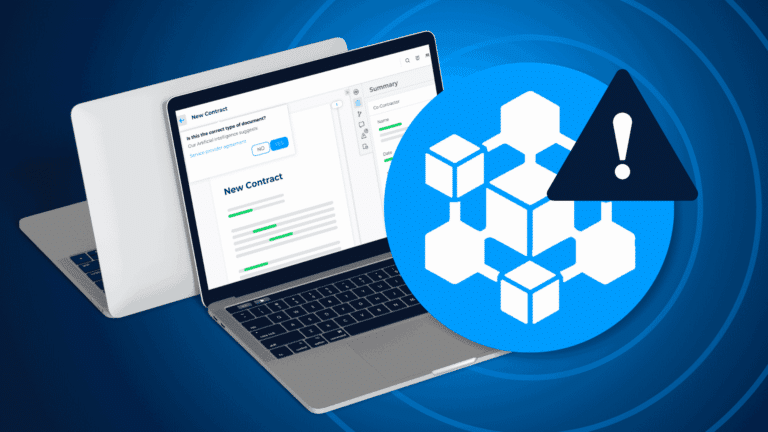
Rather than coordinating across email threads, everyone works in the same live document. The AI Risk Detector scans the draft against the legal team’s own playbook, flags deviations, and lets the lawyer fix them in one click, all on the record. What used to take hours of manual checking becomes a focused review of exceptions, not a full read-through from scratch.
Matter Management directly from your inbox
Every matter generates emails, whether legal teams want them or not. When outside counsel returns a signed contract, the traditional response is to download the attachment, rename it, upload it to the matter, update the status. The issue is that this becomes a recurring task repeated 40 times a month.
In a connected setup:
- The email arrives in Gmail
- One click files the email and all attachments to the correct matter
- The matter timeline updates automatically
- Nothing gets lost, nothing needs re-uploading
The lawyer never leaves their inbox and can recover nine hours a month because they eliminated a task that shouldn’t exist.
Board preparation and minutes in one flow
Board management sits at the intersection of scheduling, document assembly, and collaborative drafting. In a connected legal workspace, the process can flow like this:
- The meeting is scheduled from Outlook, as always
- The board pack builds itself from existing documentation
- Directors access materials directly in Microsoft Teams, where they’re already meeting
- After the meeting, minutes are drafted and co-edited in the same environment
- The final version is approved and signed, with no version chasing and no email loops
“No printing, no scramble.”
Jean-Baptiste Esbelin, Head of Product, DiliTrust
Five hours back per board cycle. Multiply that by two meetings a month.
Contracts flowing in from your CRM automatically
When a deal closes in Salesforce, HubSpot, or Microsoft Dynamics, the signed contract sits in the CRM but also needs to land in the legal platform. Manually bridging that gap is repetitive, error-prone work.
With a direct CRM integration, signed contracts are automatically absorbed into the legal workspace along with their metadata. No manual re-entry. At 40 contracts a month, the reliability gain is as significant as the time saved.
Integration is the architecture, not an add-on
What makes a legal collaborative workspace effective is what sits underneath it. DiliTrust Suite integrates natively with:
- Microsoft 365: Word, Outlook, Teams (available on the Microsoft Marketplace)
- Google Workspace: Docs, Gmail (available on the Google Workspace Marketplace)
- CRMs: Salesforce, HubSpot, Microsoft Dynamics
Finance, HR, procurement, and business teams can interact with the legal function from their own tools, without a separate login, without generating another email chain, and without asking legal to pull information they should already have.
The goal is not a better legal tool in isolation. It’s a legal function that’s genuinely connected to the business around it.
DiliTrust Suite integrates natively with Microsoft 365, Google Workspace, Salesforce, HubSpot, and Microsoft Dynamics. Installation documentation is available in the official DiliTrust documentation portal.
Does your legal platform live where your team already works?
Watch the replay and see legal work running inside the tools your team already uses every day: Word, Outlook, Teams, Google Docs, and Gmail.