






This guide is for General Counsel, legal operations leads and in-house teams preparing a software selection. If you’re working out how to choose legal operations software, you’ll get a five-step method, a vendor evaluation checklist and a free buyer’s guide with tables and cheat sheets for every stage.

What Is Legal Operations Software, and Why the Choice Matters
Legal operations software is the set of tools in-house legal teams use to manage contracts, matters, entities, governance, legal spend and requests in a structured, measurable way.
Your workload keeps growing, and requests arrive through email, chat and shared drives. Automation prevents the missed renewal, the lost signed copy and the avoidable risk. So the real question isn’t why you need a legal operations tool. It’s which one to choose.
What Is Legal Operations Software, and Why the Choice Matters
Legal operations software is the set of tools in-house legal teams use to manage contracts, matters, entities, governance, legal spend and requests in a structured, measurable way.
Your workload keeps growing, and requests arrive through email, chat and shared drives. Automation prevents the missed renewal, the lost signed copy and the avoidable risk. So the real question isn’t why you need a legal operations tool. It’s which one to choose.
Types of Legal Operations Tools
Most legal operations tools fall into six categories. Knowing which ones you need narrows your search before the first demo.
| Category | What it covers |
|---|---|
| Contract lifecycle management (CLM) | Drafting, approvals, signature, obligations, renewals |
| Matter management | Disputes, projects, deadlines, outside counsel |
| Legal spend management / e-billing | Invoices, budgets, billing guidelines |
| Legal entity management | Subsidiaries, officers, ownership, statutory filings |
| Board portal | Board packs, meetings, votes, minutes |
| Workflow automation and legal intake | Request forms, triage, routing, approvals |
How to Choose Legal Operations Software in 5 Steps
These five steps take you from the first internal conversation to a signed business case.
Step 1: Identify Key Stakeholders and Involve Them Early
A legal ops software selection owned by Legal alone can stall at the IT or procurement review. Build your evaluation team from day one:
- General Counsel: decision maker; owns the budget and final sign-off
- Legal operations lead: evaluator; runs the process and the scoring
- Contract managers: evaluators and daily end users
- Corporate secretary: end user for entity and board work
- IT and security: evaluators; architecture, integrations, data protection
- Procurement: evaluator; vendor terms and negotiation
- Finance: decision maker on budget; end user for spend reporting
- Business users of legal services: end users who submit requests and sign contracts
Tip: bring IT and security in at the start. A security review that begins after you’ve picked a favorite is one of the fastest ways to get a near-final choice vetoed.
Step 2: Map Your Pain Points and Set Clear KPIs
Start with what hurts, then attach a number to it. A pain point you can’t measure won’t survive a budget meeting.
- Contracts take too long → contract cycle time
- Disputes drag on → number of open matters and time to close
- Outside counsel costs surprise you → outside counsel spend vs. budget
- Business teams chase Legal for answers → request turnaround time
- Renewals slip through → share of contracts with tracked obligations
- Entity and board admin eats the week → hours spent on entity and board admin
Set each target the SMART way: specific, measurable, achievable, relevant and time-bound.
Then check the data behind your KPIs. Legal departments use an average of six different tech tools, according to the ACC 2024 Law Department Management Benchmarking Report, so the numbers you need often sit in inboxes, spreadsheets and separate systems.
Decide up front which data you’ll centralize (contracts, matters, entities, spend, requests), which reports your GC and finance team need each quarter, and who owns data quality. If metadata is captured inconsistently today, a new legal operations tool will only report the inconsistency faster.
Step 3: Define Must-Have Features and Dealbreakers
Sort every requirement into three buckets: must-have, nice-to-have and dealbreaker. This stops your list of legal operations software features from turning into a wish list nobody can score.
Typical must-haves include a central repository with full-text search, workflows and approvals, deadline and obligation alerts, reporting dashboards, and role-based access. Dealbreakers are the gaps you can’t work around: no audit trail, no full data export, or hosting outside the jurisdiction your data must stay in.
Three more checks belong here. On security, ask for ISO 27001 certification or SOC 2 reports and confirm where your data is hosted. On integrations, confirm the tool works with Microsoft 365 or Google Workspace and with your e-signature provider. On AI, ask which tasks it actually automates and whether your data is used to train models.
Step 4: Shortlist Vendors and Run a Structured Demo or Pilot
Build your longlist of legal ops software from peer recommendations, analyst reports and software review platforms. Then tighten it:
- Keep the shortlist to three to five vendors.
- Send every vendor the same use-case scenarios.
- Score each demo with the checklist below.
- Run a pilot with real data and real users.
- Ask for references from companies of similar size.
A scripted demo shows you what the vendor wants you to see. Your own scenarios show you what your team will live with.
Step 5: Build a Business Case That Gets Buy-In
Your business case needs to answer four questions. What does the problem cost today? What do you expect to gain against the KPIs from Step 2? How long will implementation take? How will you manage risk and change, including an adoption plan for end users?
Legal operations software pricing usually follows one of four models: per user, per module, per entity or a platform license. The license is only part of the bill, so add implementation, data migration, integrations, training, internal time and support.
Whether you buy point tools or a legal operations platform, compare vendors on three-year total cost of ownership, not year-one price. To put numbers on the gains side, estimate your ROI before you present.
Legal Operations Software Evaluation Checklist
Use these questions to score legal operations tools on the same terms.
| Criterion | Question to ask the vendor |
|---|---|
| Fit with KPIs | Which of our KPIs can your reports track from day one? |
| Usability | How long before a new user works independently? |
| Security and data residency | Which certifications do you hold, and where is data hosted? |
| Integrations | Which native integrations exist for our email, documents and e-signature? |
| AI | Which tasks does AI automate, and is our data used for training? |
| Reporting | Can we build custom dashboards without your support team? |
| Scalability | How do you handle more entities, users and languages? |
| Implementation and support | What does a typical rollout look like, and who supports us? |
| Pricing transparency | Which costs sit outside the license fee? |
| Exit and data export | How do we export all our data if we leave? |
Download the Legal Operations Software Buyer’s Guide
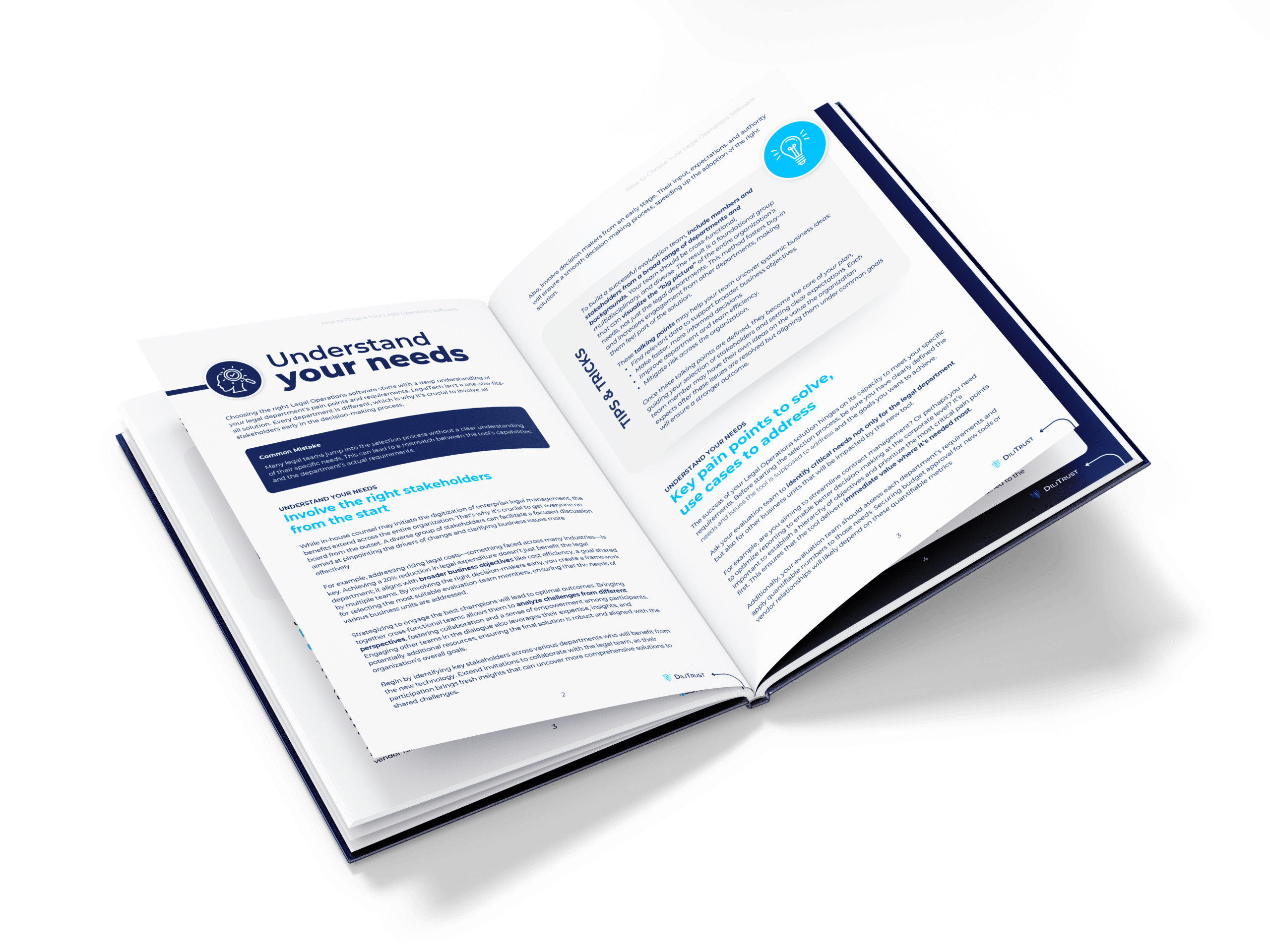
The legal operations software buyer’s guide gives you practical tables and cheat sheets you can use throughout the entire process.
Inside, you’ll find a cheat sheet of questions to ask your teams, SMART goal examples, a plan for handling dealbreakers, a feature-by-feature comparison table, vendor questions on services, support and scalability, and a security certifications cheat sheet.