


Board meetings are the single most consequential governance event in any organization’s calendar. The decisions made in that room define strategy, establish accountability, and create the legal record that regulators, auditors, and courts rely on. Yet most organizations still run this process through a mix of email threads, shared drives, and printed board packs.
Effective board meeting management changes that. It covers every phase of the meeting cycle: from agenda creation and secure document distribution to in-meeting decision-making, meeting minutes, and post-meeting archiving. Done right, it gives your board a complete, auditable record of every decision. Done poorly, it creates governance gaps that surface at the worst possible moment.
What Is Board Meeting Management?
Board meeting management is the end-to-end process of preparing, running, and documenting a board or committee meeting. It encompasses agenda creation, board pack assembly and distribution, secure access to meeting materials, facilitation of in-meeting decisions and voting, meeting minutes drafting and approval, and post-meeting archiving of resolutions. Effective board meeting management ensures that every participant has the right information at the right time, that decisions are formally recorded, and that the organization maintains a defensible audit trail across its full governance cycle.
Key Roles in Board Meeting Management
Three roles carry the weight of board meeting management at every stage.
- Corporate Secretary: The primary administrator of the board meeting cycle. The corporate secretary coordinates meeting preparation, compiles and distributes the board pack, manages document version control, takes minutes during the session, and handles all post-meeting record management. Corporate secretaries are the primary users of board management software, and every board meeting runs through them.
- Board Chair: Sets agenda priorities and facilitates the meeting itself. The chair ensures that board meeting procedures are followed, that discussion remains focused, and that voting is conducted correctly. The chair works closely with the corporate secretary during board meeting preparation to confirm the agenda reflects the board’s strategic priorities.
- Board Directors: Prepare using distributed board materials, participate in discussion and formal voting, and review and approve minutes before the next session. Directors benefit most from tools that give them instant, secure access to board packs, without the need to carry paper documentation from meeting to meeting.
Step 1: Agenda and Board Pack Creation
What takes days with a manual process takes hours with board management software.
Meeting preparation begins with the agenda. This is not just a schedule. It is the governance instrument that determines what decisions get made, in what order, and with what supporting materials. During board meetings, members make decisions with real strategic and legal consequences. Having the right documents attached to each agenda item before the meeting starts is the difference between an informed vote and a rushed one.
Traditional agenda creation requires gathering documents from multiple sources, consolidating them into a board pack, and distributing copies to board members, often by messenger. With a dedicated board management platform, the corporate secretary builds the agenda digitally, attaches documents to each item, and publishes the complete board pack in a single workflow. What once took days of preparation now takes a matter of hours.
Step 2: Delivery of Board Packs to Board Members
Once the meeting is created in the portal, getting materials to board members should take one click, not a courier.
With a board portal, board members receive an automatic email notification the moment the board pack is available. Directors log in and access the complete board book (agenda, supporting documents, and annotations) on any device, at any time, including when offline. Geographically dispersed boards get the same experience regardless of time zone.
Last-minute changes don’t require reprinting. The administrator updates a document and sends an automatic notification to all participants. No version confusion. No missing pages. Board members arrive at every board meeting fully prepared, and the corporate secretary spends their preparation time on governance, not document logistics.
Confidential materials never leave the platform. Every document distributed stays within an encrypted, access-controlled environment, eliminating the risk of sensitive board information being forwarded insecurely or lost in transit.
Step 3: Log In to the Portal for Board Meeting Preparation
Directors receive their invitation and log in using private credentials. From there, they access the full board pack — agenda, documents, and prior meeting minutes — on their computer, laptop, or tablet, anywhere and at any time. Meeting preparation no longer requires a physical office or a printed brief.
Inside the portal, directors review materials and annotate documents with electronic notes, which can be kept private or shared with specific board members. They can take handwritten annotations and highlight sections directly from their device. A powerful search tool lets directors find specific information across all board books, including archived materials from past board meetings, in seconds.
The DiliTrust platform is ISO 27001 and SOC 2 Type II certified. All data is secured and stored on servers that meet those same international standards. Directors no longer carry bulky printed board packs. The dedicated mobile and tablet app with offline access to meeting materials means board members can prepare thoroughly even when travelling or without an internet connection. Better meeting preparation leads to faster, better-informed decisions in the meeting itself.
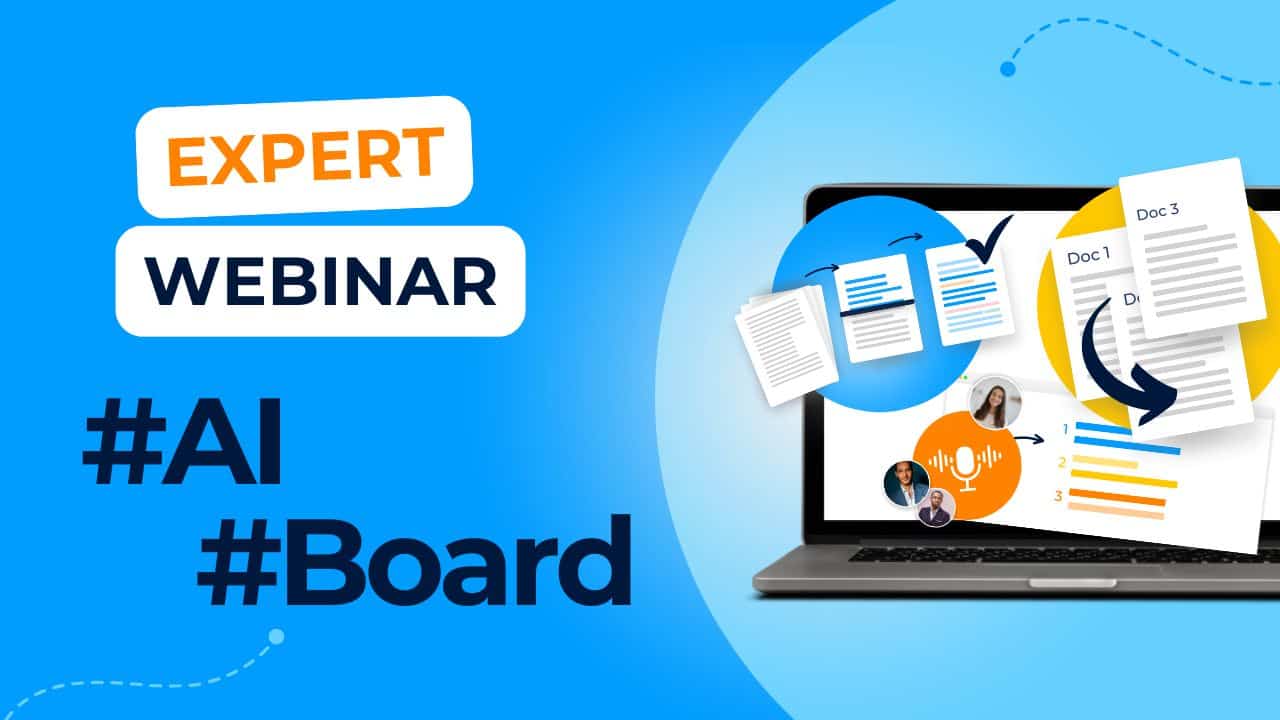
The platform also supports AI-generated minutes, drafted automatically by Lini, DiliTrust’s proprietary AI, from the meeting agenda, supporting documents, and audio transcription.
Can AI make your board meetings more efficient?
Discover three practical and secure ways to streamline board meeting preparation and follow-up, improve decision-making, and protect sensitive data with AI-driven tools.
Step 4: The Added Value of a Board Portal During Board Meetings
Prepared materials are only useful if you can access them instantly when it matters most.
After all meeting material is saved in the portal before the board meeting starts, the platform demonstrates its real value in the room. Board member time is finite. Board meetings run more efficiently when discussions stay focused and participants can pull up supporting information in seconds, rather than waiting for someone to locate a document mid-session.
A board portal helps the chair maintain the agenda by making time allocations visible. Finding a specific piece of information — a note taken during a previous board meeting, a resolution passed six months ago — is immediate with the portal’s built-in search. Board members make well-grounded recommendations without waiting for information to be circulated.
When an internet connection is unavailable, administrators and directors still access all documents, personal notes, and meeting materials through offline mode. From a compliance standpoint, every action in the platform is recorded and archived, making board meetings fully traceable for future audits.
Step 5: Note Taking Is Synced to All Your Devices — Online and Offline
A tablet is flat on the table and quiet. It doesn’t interrupt discussion the way a laptop screen can. Board members keep their pace, accessing all documents and data through the portal’s personal environment.
Directors browse through notes taken before the meeting, then add new annotations as discussion develops. Notes stay private or get shared with other board members, at the director’s choice. Annotation features — pens, highlighters, sticky e-notes — work directly on documents using touch, replicating the feel of paper without the weight.
Every note and annotation syncs across devices and remains fully secure. The quality of decisions made in board meetings depends on the quality of information exchanged. Having every relevant document, annotation, and prior note organized and searchable makes that exchange more substantive and the meeting more productive.
Step 6: Drafting and Distributing Meeting Minutes
Meeting minutes are an official legal document. Courts, auditors, and stakeholders rely on them to establish what happened.
The minutes must document who was present, what was discussed, which decisions were made, and what follow-up actions were assigned. From a compliance standpoint, incomplete or inaccurate minutes create legal exposure. The record needs to be complete, structured, and verifiable. Not reconstructed from memory three days after the board meeting.
With board meeting document management handled in the portal, notes taken during the session feed directly into the drafting workflow. Voting records and attendance are captured automatically. Minutes drafted while information is fresh are faster to complete and more accurate.
Once the draft is ready, it circulates digitally to board members for review and correction. Approval happens within the platform, without printing or postage. Members confirm assigned action items directly, which increases accountability and shortens the follow-up cycle before the next board meeting.
The DiliTrust platform is ISO 27001 and SOC 2 Type II certified, so meeting minutes are secured from the moment they are created through to long-term archiving.
Practical note: Retain original records and official documents in paper form with original signatures as a backup, particularly where required for court evidence or regulatory compliance.
Step 7: Archiving the Meeting
Once the minutes are approved and the board meeting is formally closed, the full meeting record — documents, votes, resolutions, and attendance — should be stored in a secure, searchable location accessible to authorized stakeholders.
Digital archiving demonstrates a board’s commitment to governance transparency. Members access previous minutes quickly when they need historical context for a new decision, without requesting documents from the corporate secretary. The institutional memory of the board becomes immediately accessible, not buried in filing cabinets or scattered across email inboxes.
Minutes represent some of the most confidential information a board produces. DiliTrust stores sensitive data on servers certified to ISO 27001 and SOC 2 Type II standards, reducing the risk of unauthorized access, credential compromise, or physical document loss. Physical storage requirements drop. Printing and copying costs disappear entirely.
Step 8: Achieving a Paperless Workflow
With the full board meeting process captured inside the portal, the next step is a fully paperless governance structure.
Between board meetings, the portal serves as the ongoing working environment for committee collaboration, secure discussions, polls, and organizational updates. Board members stay connected to governance developments without relying on email chains or unsecured file transfers. The collaborative and formal governance work of the board happens in the same secure environment.
A paperless workflow reduces the administrative burden on the corporate secretary and gives board members more time to focus on strategic priorities. Board meeting procedures become consistent, repeatable, and auditable: from the first agenda notification to the final signed and archived resolution.
How Board Management Software Supports Each Phase
Effective board meeting management doesn’t happen through manual effort alone. It requires the right infrastructure at every step.
| Phase | What’s required | DiliTrust capability |
|---|---|---|
| Preparation | Agenda creation, board pack assembly, secure distribution | Centralized agenda builder, document management, automated notifications |
| Secure access | Encrypted materials, role-based permissions, offline availability | ISO 27001 and SOC 2 Type II certified platform, mobile app with offline access |
| In-meeting | Attendance tracking, real-time voting, document annotation | Integrated e-signatures, weighted voting, live and scheduled surveys |
| Minutes | Structured drafting, approval routing, version control | Lini drafts minutes from the agenda, audio transcription, and supporting documents |
| Archiving | Searchable record, complete audit trail, long-term secure storage | Permanent secure archive with watermarking and full access logs |
Organizations managing governance through email and shared drives face structural limitations in audit trail completeness, document version control, and examiner-ready record retrieval. A dedicated board management platform removes those limitations at every stage of the meeting cycle.
Conclusion
Board meeting management is more than logistics. It is the operational foundation of sound governance.
From the first agenda item to the last archived resolution, every step in the board meeting cycle carries legal, strategic, and reputational weight. Corporate secretaries who manage that cycle manually take on unnecessary risk and leave their board members without the tools to do their best work.
A dedicated board management platform centralizes the full meeting lifecycle — preparation, distribution, decision-making, meeting minutes, and archiving — in a single, secure environment. Board members arrive prepared. Decisions are captured completely. The audit trail is always ready.
The boards that govern well treat governance infrastructure as a strategic investment, not an administrative overhead.
Frequently Asked Questions
What does effective board meeting management involve?
Effective board meeting management covers the full cycle from agenda creation to post-meeting archiving. It includes preparing and distributing the board pack, facilitating in-meeting decisions and voting, drafting and approving meeting minutes, and storing the complete meeting record in a secure, searchable archive. Each phase requires clear ownership, structured workflows, and a documented audit trail.
Who is responsible for board meeting management?
The corporate secretary carries primary responsibility — coordinating agenda preparation, distributing materials, taking minutes, and managing post-meeting records. The board chair is responsible for facilitating the meeting itself and ensuring board meeting procedures are followed. Board directors are responsible for preparation, active participation, and timely review and approval of minutes.
How long should board meeting minutes be retained?
Retention requirements vary by jurisdiction and entity type. In the United States, corporations are generally required to keep board meeting minutes for at least seven years, though many organizations retain them permanently as part of their corporate records. Minutes are legal documents and may be required as evidence in regulatory examinations, audits, or legal proceedings.
What software do corporate secretaries use for board meeting management?
Corporate secretaries typically use a dedicated board portal or board management software to run the full meeting cycle. These platforms centralize agenda creation, board pack distribution, in-meeting annotation, voting, minutes drafting, and secure archiving in a single environment. DiliTrust’s Board Portal covers all eight phases of the meeting lifecycle and includes AI-assisted minutes drafting through Lini, DiliTrust’s AI.
How do you keep board meeting documents secure?
Board meeting documents should be distributed and stored within an encrypted, access-controlled platform rather than via email or shared drives. Look for platforms certified to ISO 27001 and SOC 2 Type II standards, which confirm that security controls meet recognized international requirements. Role-based permissions ensure only authorized participants can access sensitive materials, and a full access log supports audit readiness.
Ready to bring structure to your board meeting management process?