



Creating clear, concise meeting minutes is essential for business success. These documents serve as the official record of discussions, decisions, and action items from your meetings. Additionally, they provide accountability and help track progress on important initiatives. This guide offers practical minute examples, outlines best practices, and introduces tools to streamline the minute-taking process. Whether you’re responsible for board meetings or team discussions, these strategies will help you document information effectively.
What Are Minutes and What Are They For?
Meeting minutes are the official written record of a meeting. They document key information including the date and time, participants, discussions, decisions made, and action items assigned. Furthermore, minutes serve as a historical record and reference point for future meetings. The primary purposes of meeting minutes include:
Effective meeting minutes differ based on the meeting type. Board meeting minutes tend to be more formal and detailed, whereas team meeting minutes are often more concise and action-oriented.
Different organizations require different approaches to minute-taking:
Who Should Take Meeting Minutes?
The role of minute-taker is typically assigned to a designated secretary, administrative assistant, or Corporate Secretary. For board-level meetings, this responsibility most often falls to the Corporate Secretary, who maintains the official governance record.
The right person for the role is:
In formal governance settings, the minute-taker is a permanent appointment. In smaller teams, the role may rotate among members. Regardless of context, clarity of responsibility matters: unclear ownership leads to incomplete records.
Basics to Write Good Meeting Minutes
Creating effective meeting minutes requires preparation, attention to detail, and a systematic approach. The following steps will help you develop this important skill.
Before the Meeting
Preparation is key to effective minute-taking. To begin with, review the meeting agenda and the minutes from the previous session to familiarize yourself with ongoing discussions and previous decisions. Next, create a template which follows the structure of the agenda, which will help you stay organized when taking notes. Then, confirm the meeting’s date and time to ensure you’re fully prepared and on schedule. Finally, get ready to record participant information, such as names and roles, so you are able to accurately document who was present and who contributed to the discussion.
During the Meeting
Focus on capturing essential information to ensure your minutes are clear and actionable. First, record attendance by noting who is present and identifying any absences. As the meeting progresses, document key discussion points, but avoid transcribing every word—summarize the main ideas instead. In addition, make sure to note all decisions which are made, including any votes taking place. Equally important, track action items by identifying who is responsible for each task and what the corresponding deadlines are. Lastly, don’t forget to record the official start and end times of the meeting to complete the documentation.
After the Meeting
Finalize your minutes promptly to maintain momentum and ensure accuracy. Start by reviewing and editing your notes for clarity, checking key points are clearly articulated and free of ambiguity. Then, format the document consistently, following any established templates or organizational standards. Once finalized, distribute the minutes to all participants within 24 to 48 hours so everyone stays informed and aligned. Finally, store the minutes in an accessible location to allow easy reference during future meetings or follow-ups.
Essential Elements to Include
Effective meeting minutes should contain:
Download our free meeting minutes template today and take the first step toward more effective meeting documentation.
What Tense Should Meeting Minutes Be Written In?
Meeting minutes should always be written in the past tense. They are a record of what has already occurred, not a live account of events unfolding.
| IMCORRECT | CORRECT |
|---|---|
| “The board discusses the proposal.” | “The board discussed the proposal.” |
| “The team will finalize the report.” | “It was agreed that the team would finalize the report by 30 June.” |
Keep language neutral and factual throughout. Avoid descriptive phrases about the tone or atmosphere of the discussion. The record should focus on outcomes: what was decided, by whom, and what happens next.
Searching for the right board solution?
Common Mistakes to Avoid
Even careful minute-takers can undermine a document’s usefulness. The most frequent errors include:
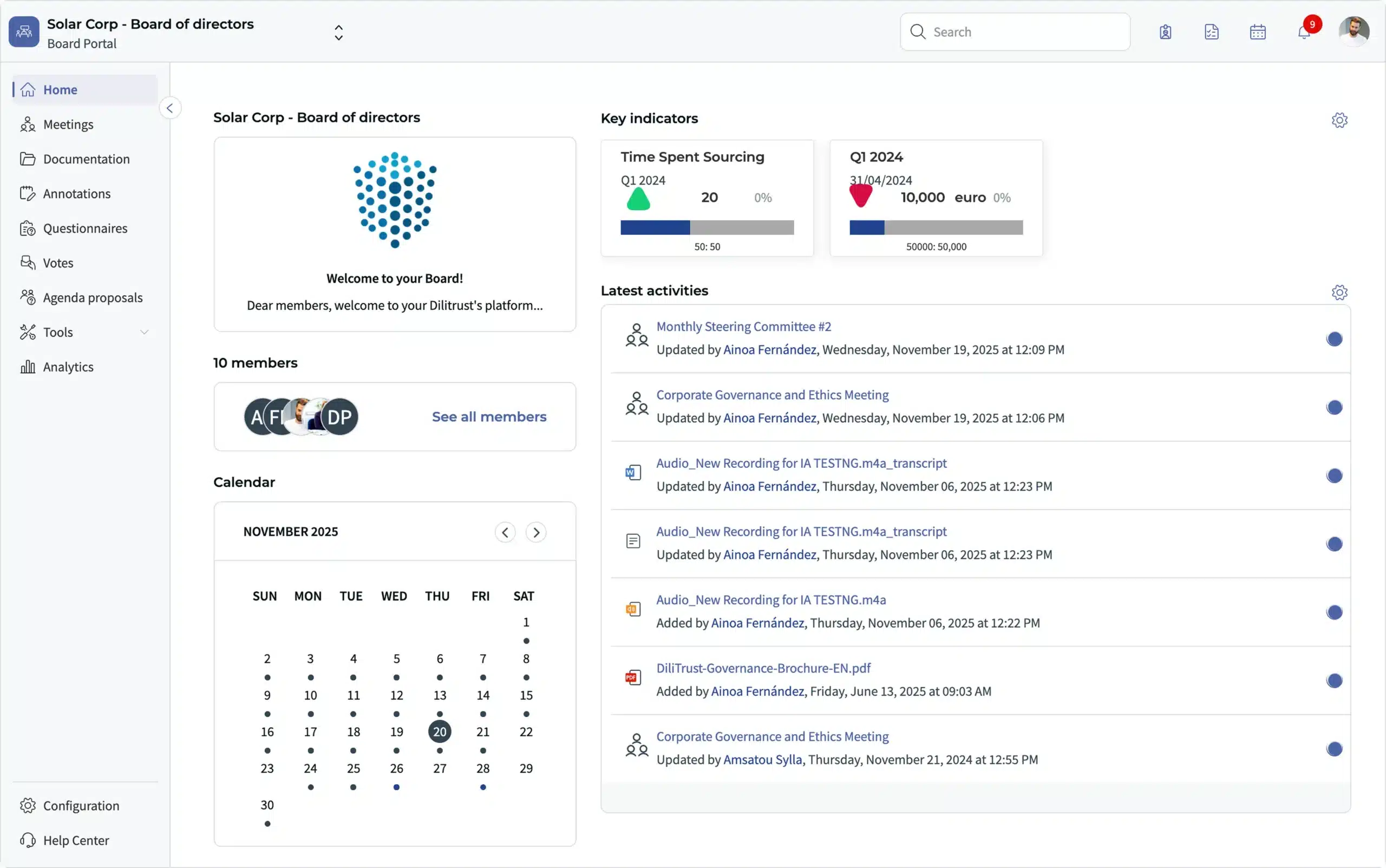
From draft to approved — DiliTrust’s board management software manages the full minutes lifecycle, with AI-assisted generation and secure archiving for every session.
Do Meeting Minutes Need to Be Approved?
Yes. Meeting minutes must be reviewed and formally approved before they become the official record of the meeting. This process typically takes place at the start of the following session.
Attendees confirm that the previous minutes are accurate and may propose corrections before approval is granted. Once approved, minutes are signed by the chair or secretary and filed. Corrections should be noted formally in the document, they should never be made silently after distribution.
For board meetings, approval is a governance requirement. Unsigned or unapproved minutes do not carry the legal standing of an official corporate record.
How To Automate Minute Meetings
Technology offers numerous ways to streamline the minute-taking process, saving time while improving accuracy and accessibility.
Digital Tools for Meeting Minutes
Several solutions exist to help automate the minute-taking process:
Benefits of Automation
Automating the minute-taking process offers several advantages:
DiliTrust Board Portal for Streamlined Governance
The DiliTrust Board Portal module offers specialized features for managing board meetings and minutes:
This solution helps organizations maintain compliance while improving the efficiency of their governance processes.
Want to simplify board management?
Discover our Board Management Buyer’s Guide, designed to help you evaluate solutions, compare key features, and make the best choice for your organization.
Free Template for Meeting Minutes
To ensure your minutes are clear and actionable, begin by recording attendance, clearly noting who is present and identifying any absences. As the meeting unfolds, document key discussion points; however, rather than transcribing every word, focus on summarizing the main ideas. Additionally, be sure to note all decisions that are made, including any votes that take place. Just as importantly, track action items by specifying who is responsible for each task and outlining the corresponding deadlines. Finally, don’t forget to record the official start and end times of the meeting to complete the documentation thoroughly.
Start with the right structure. Download the free meeting minutes template and document what matters.
How to Use the Template
The template includes sections for:
Customizing the Template
While the template provides a solid foundation, tailoring it to your specific context helps enhance its effectiveness. To begin with, adjust the format to align with your organization’s branding, including elements like logos, fonts, and color schemes. Next, consider adding or removing sections to reflect the unique needs of your team or meeting objectives. In some cases, it is helpful to create specialized versions of the template for different types of meetings, such as project updates, strategic planning sessions, or board meetings. Lastly, if your organization requires an approval process, be sure to include a section which reflects this step to ensure compliance and consistency.
Best Practices for Template Use
To maximize the effectiveness of your meeting minutes:
Effective meeting minutes are essential for organizational success. As a result they provide a clear record of discussions, decisions, and action items while ensuring accountability and progress tracking. Thanks to the guidelines in this article and using the provided template, you’ll be well-equipped to create professional, useful meeting minutes.
From draft to approved — DiliTrust’s board management software manages the full minutes lifecycle, with AI-assisted generation and secure archiving for every session.
Frequently Asked Questions About Meeting Minutes
What is another name for meeting minutes?
Meeting minutes are also called “minutes of meeting” (MOM), “minutes of proceedings,” or “record of proceedings.” In board governance contexts, they are often referred to simply as “board minutes.” The term “procès-verbal” is used in francophone and some international organizations. All these terms refer to the same thing: the official written record of a meeting.
How long should meeting minutes be?
There is no fixed rule. Board minutes are more detailed, capturing formal votes and the rationale behind decisions. Team meeting minutes are shorter and action-focused. Aim for completeness over length.
Can AI generate meeting minutes?
Yes. AI-assisted minute generation tools can draft structured minutes from agendas, supporting documents, and audio recordings of meetings. These drafts still require review and formal approval before becoming the official record.
What should never appear in meeting minutes?
Verbatim transcripts, personal commentary, informal remarks, and speculative statements should be excluded. The official record documents decisions, votes, and assigned actions only.