


When contractual obligations sit in reminders, inboxes, or spreadsheets, teams can see that a deadline exists but not who owns the action, whether it is complete, or what evidence proves it. Contract task tracking turns each obligation into a task in a CLM with a named owner, due date, status, and direct link to the contract and clause that created it. Obligation tracking tells you what you owe; task tracking shows who is doing it, where it stands, and whether it was completed.
Contracts carry obligations that someone in the organization must handle, including payment milestones, regulatory reporting deadlines, and non-compete monitoring periods. Each one is a commitment with an accountable owner. Contract task tracking builds that accountability into the system rather than leaving it to chance.
Contract managers and legal teams generally know which tasks need attention, but tracking progress is harder. Many of the tools teams rely on were never designed for this work. Help desk tickets can lose context once closed, while calendar reminders do not transfer ownership when someone is away.
Contract obligation tracking helps answer what your commitments are and whether you’re meeting them. But there’s a second question that often goes unanswered: how do those commitments actually get executed, and how does a compliance team get proof? That’s where contract task tracking comes in. It is the operational layer that connects an identified obligation to a completed, documented action and makes the entire path visible and auditable.
What is contract task tracking?
Contract task tracking is the practice of converting contractual obligations into structured, manageable tasks within a CLM platform, each with a clear owner, a defined status, and a due date.
Task tracking adds the operational detail that turns an identified obligation into assigned work with a status and completion record. Each obligation is represented as a task linked directly to the source contract and, where relevant, to the specific clause that created it. Unlike a task in a standalone project management tool, a task anchored to its source contract and clause retains the relevant contractual context. That makes the task traceable and easier to defend.
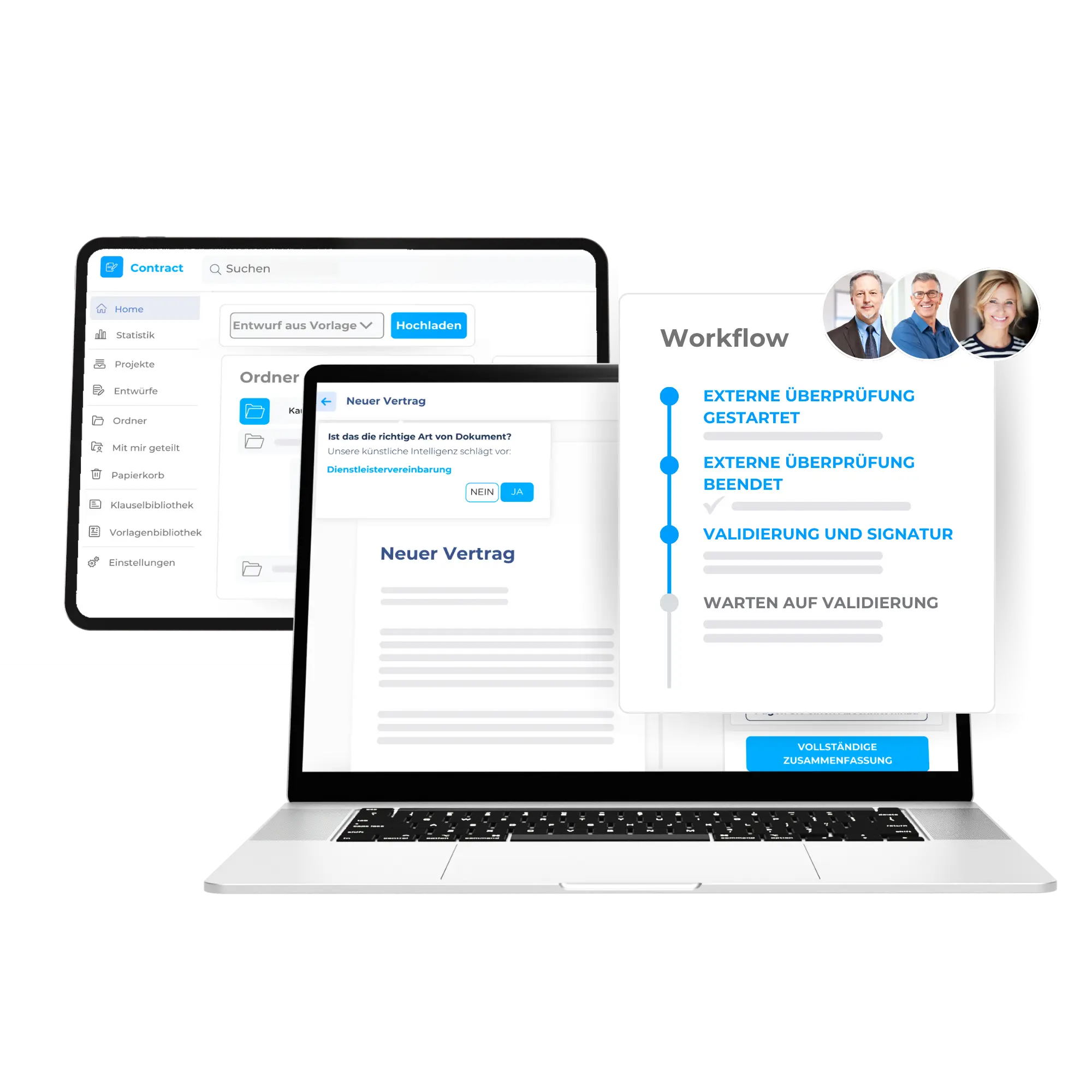
In practice, each task carries a type that defines the obligation category and the metadata fields specific to it. For instance a counterparty, reporting threshold or risk level. It follows a status lifecycle from “To do” through “In progress” to “Done”. It also has a named responsible user or team, a contractual due date, and custom fields that turn it into a structured data record instead of a to-do item. That’s what makes task data filterable, exportable and useful to a compliance team as evidence of work done, not just a log of notifications sent.
Reminders alone don’t cut it
To understand what contract task tracking solves, it helps to look at the tools teams use today. Most CLMs include a basic reminder or alarm system, which is useful for simple deadline notifications. Problems arise when organizations use reminders as their obligation management layer because reminders were built for notifications, not ongoing task management.
No status
Reminders fire and expire. As a result, a reminder alone does not record that a covenant was verified, a certification was submitted, or work is actively in progress. An obligation may have a future reminder or a past one, but no status history or completion record.
No metadata
A notification that says “quarterly reporting due” tells someone that a deadline exists, not which framework applies, which counterparty is involved, or which document serves as evidence of completion. That context lives elsewhere, usually in someone’s memory or a buried email thread.
No filtering
When a compliance officer needs to see the status of all financial covenants across a 200-contract portfolio, a reminder screen offers no way to filter that data by type, team, or manager. It’s a problem because each alert exists in isolation.
No history
Showing what was done, by whom and when, across a defined period is what contract audits require. None of that information will show up with simple reminders as they don’t offer that retrospective visibility once they’ve been sent.
Reminders are useful, but they cannot substitute for the task-tracking layer that obligation management needs.
How contract task tracking works in practice
Once the limitations of reminder-based systems become clear, the case for structured task tracking becomes straightforward. Here’s what it looks like inside a CLM built for it.
Task types let administrators configure, for each obligation category, which metadata fields to collect. A financial covenant task captures different information from a non-compete monitoring task, and that structure makes the data reportable at scale rather than useful only to the person who created it. A status lifecycle with automatic escalation surfaces overdue work without anyone having to chase it. Recurring task models generate individual occurrences from one obligation setup, each with its own status, responsible user, and completion record. Clause-level task creation pre-populates the clause text and source document, giving every task a traceable origin. A centralized Task Manager, filterable by type, status, owner, and document, turns compliance reporting into an export instead of a manual reconstruction.
Who uses contract task tracking
Contract task tracking is useful beyond the legal team because several functions can work from the same underlying data.
Legal Operations
Legal ops teams typically own the obligation tracking function across a contract portfolio. A cross-contract task view, segmented by type, status and owner, gives them the operational structure they need to minimize legal risks across dozens or hundreds of agreements at once.
Compliance Teams
Compliance functions need visibility without necessarily owning every task. Filtered access to the Task Manager by obligation type and time period gives compliance officers what they need to verify that obligations are being met and report on them without chasing individual teams for updates.
Finance and Risk Teams
Financial covenants, insurance obligations and regulatory reporting requirements often sit at the intersection of legal and finance. Custom metadata fields that capture specific terms, thresholds and counterparties give both functions a shared data layer over obligations that belong to neither department alone.
Contract Owners
For the person assigned to a specific obligation, the task record explains what is needed, when it is due, and which contract it relates to. Reminders notify that person ahead of deadlines, while marking a task as done creates a completion record that other teams can use.
What a CLM with contract task tracking should have
Not every CLM platform offers genuine task tracking. Many offer reminders with a label change, and the distinction matters when evaluating systems. Here’s what experts recommend to look for:
- Obligation categories with configurable metadata fields per type
- Status lifecycle with automatic overdue escalation
- Recurring task management with individual occurrences and completion records
- Clause-level task creation with pre-populated contract and clause
- Cross-contract Task Manager with advanced filters
- Role-based permissions for admins, editors and view-only compliance users
- Export functionality for compliance reporting
DiliTrust supports these capabilities in its contract management solution, giving legal, compliance, and operations teams a single place to manage obligation execution across the contract portfolio.
Getting it right from the start
Identifying contractual obligations is only the first step. Whether those obligations are met, and whether an organization can prove it, depends on how they are tracked from identification to documented completion.
Contract task tracking gives every obligation a named owner, a status, a history, and a direct link back to the contract and clause that created it. For legal and compliance teams managing a significant volume of contracts, it provides an operational record the business can use to manage work, prove completion, and report on performance.
Ready to step up your contract management strategy?
Learn more about DiliTrust’s contract task tracking feature and never miss a contract deadline.
Frequently Asked Questions about contract task tracking
What is the difference between contract obligation tracking and contract task tracking?
Contract obligation tracking is the strategic layer: identifying what your contracts require and monitoring whether those requirements are being met. Contract task tracking is the operational layer underneath it. It converts each obligation into an assigned, trackable task with a status, a responsible owner, a due date and a documented completion record. The two work together, but task tracking is what makes obligation management executable and auditable at scale.
Can contract task tracking replace a project management tool for legal teams?
For contract-obligation work, it can reduce the need for a separate project-management tool, but it does not replace general project management. General project-management tools often lack the contractual context needed for legal and compliance work, such as a link to the source contract or clause, obligation-specific metadata, a status lifecycle designed for obligations, and compliance reporting. A CLM with built-in task tracking keeps that work alongside the contracts that created it.
Who should own contract task tracking in an organization?
In most organizations, legal operations or the contract management function sets up the system and owns the obligation categories. Day-to-day task ownership sits with whoever is responsible for each obligation, whether that’s someone in legal, finance or a business unit. Compliance teams typically have read access to monitor status and generate reports without managing individual tasks directly.
How do you set up contract task tracking in a CLM?
Start with structure, then assign the work:
1. Define your obligation categories as task types, with the metadata fields each one needs.
2. Create tasks from the clauses that generate obligations while you review the contract.
3. Assign a responsible user or team and a contractual due date to every task.
4. Set recurrence for repeating obligations such as quarterly reports or annual certifications.
5. Monitor progress and export reports from a central Task Manager.
How do you track recurring contract obligations?
Set the obligation up once with a start date, a frequency and an end date. The system then generates each occurrence as its own task, with its own status, responsible user and completion record. A quarterly report due over three years becomes 12 trackable checkpoints, not one reminder that someone has to remember to reset.
What evidence does contract task tracking provide during an audit?
Each task shows which contract and clause the obligation came from, who was responsible, when it was due and whether it was completed. Supporting documents can be attached to the task itself. When an auditor asks for proof, you filter the Task Manager by obligation type and period and export the result instead of rebuilding the history from emails.