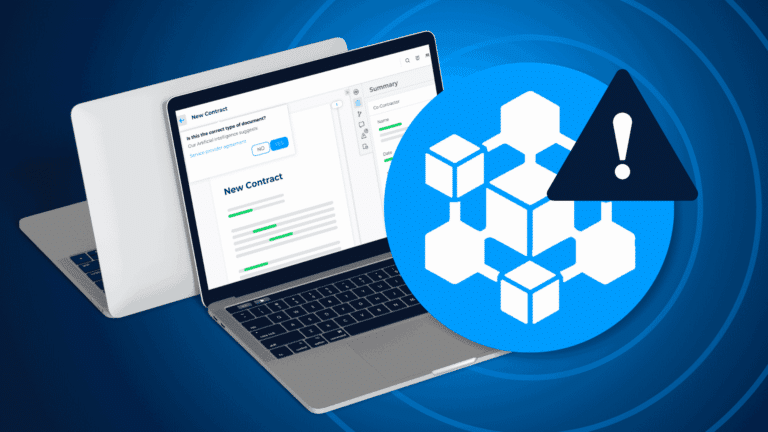



This article is the first in a three-part series on CLM implementation. It covers the design phase: the planning work that determines whether your rollout succeeds or stalls.
What is the CLM design phase? The CLM design phase is the first stage of a contract lifecycle management implementation. It covers everything that happens before any software is configured: defining your needs, aligning stakeholders, setting measurable goals, and establishing project governance. Decisions made here shape every phase that follows: configuration, deployment, and user adoption.
Why this phase sets the tone for your entire rollout
Poor contract management costs organizations up to 9% of annual revenue, according to research by WorldCC. Most of that loss doesn’t come from badly written contracts. It comes from process gaps, unclear ownership, and tools deployed without enough preparation.
The design phase is where you close those gaps before they turn into real problems. It can also begin before you’ve selected a CLM platform. Working through requirements first sharpens your buying criteria and helps you avoid late-stage scope changes, which are costly and disruptive. If you’re still evaluating whether CLM is the right investment for your organization, the DiliTrust guide to building a business case for CLM is a good starting point before you dive into implementation planning.
Four key design phase steps
Step 1: Assess needs and expectations
Start by mapping all active contracts across your organization. Engage teams in legal, procurement, sales, HR, and finance to understand how they manage contracts today and where they lose time.
Internal workshops and surveys work well here. The goal is to surface the friction points a CLM will need to solve — not just for your legal team, but for every department that will eventually use the system.
Make sure to identify who the primary, secondary, and occasional users will be. This shapes your scope, your training plan, and your phased rollout strategy.
One important point: this assessment is your responsibility, not your CLM provider’s. They can guide the process, but they cannot map your internal workflows for you.
Step 2: Set clear and realistic goals
Vague goals like “improve contract management” won’t help you measure success. Set specific, time-bound targets instead. Examples:
- 80% of new contracts signed within 48 hours
- Clause error rate on supplier agreements reduced by half
- Contract review time cut from five days to one day
A phased approach works well for most organizations. Start with a minimum viable scope — a single contract type or one department — then expand as adoption builds. Starting small doesn’t mean lack of ambition. It means giving the system a chance to prove its value before you scale.
Your CLM provider, supported by a dedicated project manager, will guide you through goal-setting. Keep targets realistic: a solid early milestone is “spending two days per week on contract reviews” rather than expecting a 20-minute average within the first rollout phase.
Step 3: Identify key integrations
Take a close look at your organization’s digital environment to identify the tools your CLM solution should connect with. Thinking through your contract management workflow end-to-end helps here — every handoff point between teams is a potential integration need. Common integrations to prioritize include:
- CRM platforms (Salesforce, HubSpot) for sales-driven contract creation
- ERP systems (Microsoft Dynamics 365) for procurement and finance workflows
- E-signature providers (DocuSign, Adobe Sign, YouSign, and others) to complete the signature step without switching platforms
- Microsoft 365 (Word, Outlook, Teams) and Google Workspace (Docs, Gmail) for drafting in familiar environments
Focus on what is essential, not what is nice to have. If your teams work regularly with external parties, a Microsoft 365 or Google Workspace integration is a baseline requirement. The use cases you surface in Step 1 should drive the priority order.
Step 4: Define CLM implementation KPIs
Whether it’s contract processing speed or the number of contracts signed each week, clear KPIs help you track success and identify areas for improvement after go-live. Common metrics include:
- Time-to-sign (average days from draft to execution)
- Contract cycle time (end-to-end, by contract type)
- Approval lag (where delays accumulate in the workflow)
- Volume of contracts processed per week or month
These indicators make it easier to drive adoption, demonstrate value internally, and adjust processes based on real data. For a deeper look at how CLM investments perform over time, see DiliTrust’s analysis of average CLM return on investment.
What about features?
Identifying the CLM software features you need should follow from your goals and use cases, not the other way around. Whether it’s clause libraries, contract status tracking, automated approval workflows, or AI-powered risk detection, define your must-haves before evaluating platforms. Most solutions don’t offer all features on demand, and changing scope mid-implementation adds cost and delay.
Mapping CLM requirements across multiple departments? DiliTrust’s implementation team works with you from day one to configure contract management workflows that fit how your teams actually operate.
Building strong project governance
Governance structure determines how decisions get made, who escalates issues, and how progress is tracked. Setting it up during the design phase prevents projects from stalling when complexity increases.
A RACI matrix (Responsible, Accountable, Consulted, Informed) is a practical starting point. It removes ambiguity around ownership and prevents delays caused by unclear decision rights.
Regular governance meetings — weekly reviews during active phases — should focus on three things: tracking open actions, monitoring progress against milestones, and flagging risks early. For larger implementations, a steering committee adds oversight for strategic decisions and cross-functional alignment.
Structuring the CLM implementation project team
A strong internal team is essential. At minimum, you need a project sponsor, a business project manager, and a technical contact. Each plays a distinct role.
Client side
| Client team role | Responsibilities |
|---|---|
| Project sponsor | Champions the implementation internally, manages escalations, and bridges internal stakeholders with the project team |
| Business project manager | Oversees coordination and resource allocation; works closely with the provider’s project manager on planning and progress |
| Technical contact | Handles integrations, API connectors, SSO configuration, and data migration from previous platforms |
Provider side
| Provider team role | Responsibilities |
|---|---|
| Project manager | Guides the overall implementation, supports goal-setting, and manages timelines and deliverables |
| Technical project manager | Manages technical setup including SSO, integration architecture, and onboarding support |
| Product consultants | Configure the platform to match your defined workflows, use cases, and integration requirements |
Planning a multi-department CLM rollout? The DiliTrust Governance Suite connects contract management with entity management and board workflows, reducing the number of systems your team needs to maintain.
What to look for when evaluating CLM vendors
Most CLM platforms cover the same core capabilities: contract creation, approval routing, e-signature integration, and a searchable repository. The real differences show up in narrower areas — integration depth, AI transparency, configuration support, and how well a vendor supports your specific workflows.
Before running vendor demos, define your non-negotiables:
- Integration fit: Does the platform connect natively with your CRM, ERP, and productivity tools? Are all major e-signature providers supported, or is only one included?
- AI transparency: Can you build contract-type-specific review playbooks? Does the AI explain its reasoning, or does it only flag clauses without context?
- Scalability: Can the platform handle your current contract volume and where you expect to be in two years?
- Configuration support: Does the vendor assign a dedicated implementation resource, or do you receive a tool and documentation?
- Data security: Where is data hosted? Does the platform support SSO via your identity provider using a standard protocol?
Running structured demos with scripted scenarios helps you compare platforms on equal terms. Rather than sitting through a generic product tour, ask vendors to demonstrate your actual contract templates and show how their system handles your specific workflows. For a structured set of questions to bring into those conversations, see 7 questions to ask before investing in a CLM solution.
Planning for AI-driven CLM features from the start
AI is now part of most CLM evaluations, and it’s worth planning for during the design phase rather than treating it as an add-on after go-live. According to FTI Consulting’s 2026 General Counsel Report, 87% of General Counsels are now using generative AI. The gap between legal departments that have integrated AI into their contract workflows and those still reviewing clauses manually is widening.
In practice, AI in CLM can:
- Automatically detect contract types and apply the relevant review playbook
- Flag risky or non-compliant clauses and suggest tracked-change edits
- Extract and label contract attributes (parties, dates, obligations, governing law) without manual input
- Generate AI-powered reports across your entire contract portfolio
- Summarize contracts and answer specific questions without requiring users to search through documents manually
When planning AI features, factor them into your design phase requirements. Which contract types will benefit most from automated review? What clause library do you need to build before AI review becomes meaningful? Are there data security requirements that affect how AI can process your contracts?
DiliTrust’s proprietary AI, Lini, is built into the Contract Management module. It includes Risk Detector (playbook-driven clause review with tracked-change suggestions), Ask Lini in Word (review, summarize, and rewrite actions in a side panel), and a full-page AI assistant for document comparison and external reference search. Smart Reports let you generate AI-driven analytics across your contract portfolio directly from the platform. Lini is trained on synthetic datasets and does not train on client data.
Common design phase mistakes to avoid
The design phase is where most CLM projects are won or lost. These are the patterns that consistently cause problems:
- Skipping user discovery. Mapping only legal’s needs and missing how procurement, sales, or HR actually handle contracts.
- Setting goals without metrics. “Faster contracts” is not measurable. “Contracts signed in under 48 hours” is.
- Overloading the initial scope. Trying to automate every contract type, integrate every system, and onboard every department at once. Phased rollouts consistently outperform big-bang deployments.
- Underestimating integration complexity. Integration work is often the largest source of implementation delays. Identify all critical systems early and involve IT from day one.
- Leaving governance undefined. Without a RACI, projects lose momentum whenever a decision needs to be made.
- Ignoring legacy contracts. Going live with only future contracts in the system means losing visibility over existing obligations, renewal dates, and counterparty commitments.
CLM Implementation Planning Guide A practical resource covering design phase steps, integration planning, vendor evaluation criteria, and KPI templates. Download the CLM implementation guide
Frequently Asked Questions About CLM Implementation Design
Should the CLM design phase begin before you’ve selected a vendor?
Yes, and this is one of the more consequential decisions a procurement team can make. Starting requirements gathering, stakeholder alignment, and integration mapping before vendor selection means your demos focus on real use cases rather than a generic product tour. It also protects against a common problem: selecting a platform based on features that perform well in a demo but don’t match your actual workflows. Most design phase activities — process mapping, KPI definition, RACI setup — are platform-agnostic and can begin immediately, before any vendor is involved.
What AI capabilities should you evaluate during the CLM design phase?
The most important questions are about specificity and control, not the length of the feature list. Does the platform support contract-type-specific playbooks, or does it apply the same AI logic to all documents? Can your legal team build and maintain the clause libraries the AI references? Can you see the AI’s reasoning, or only its output? Also confirm data handling: a platform that trains its models on client contract data creates confidentiality risks your legal team will need to assess before configuration starts. These questions are far easier to answer during design than after go-live.
Which integrations need to be confirmed before the CLM design phase ends?
Any integration essential to daily contract workflows needs confirmation during design, not after launch. This includes your e-signature provider, the CRM or ERP systems that trigger contract creation, your identity provider for SSO, and any productivity tools your team uses for drafting. Integration scope that isn’t confirmed during design is one of the most common causes of go-live delays. If a critical integration requires custom API work, it needs to be in scope before configuration begins.
How do you demonstrate ROI from a CLM implementation in the first 90 days?
The most credible early metric is cycle time reduction on the contract types you prioritized in your initial scope. If your design phase defined a baseline — say, average time from draft to execution for NDAs was eight days — you can measure directly against that after go-live. Approval lag reduction and fewer negotiation rounds are also trackable early. Tying these results back to the KPIs defined in Step 4 makes the business case concrete enough to take to finance or executive leadership.
See how DiliTrust handles CLM from design to deployment Walk through the contract management workflow, AI review capabilities, and integration options with a product specialist. See how DiliTrust supports CLM rollouts
Vuoi approfondire?
Consulta il nostro framework di implementazione CLM
Scopri come rendere fluida l’implementazione del tuo CLM in questa guida passo passo.