



Legal research software determines how quickly your team can answer a legal question and how much confidence you can place in the result.. In-house teams have constraints a law-firm buyer rarely faces: many jurisdictions, a small team and answers that depend on the company’s own records. This guide gives you the criteria, vendor questions and pilot plan to choose legal research software you can defend to your CFO and your auditors.
What legal research software is
Legal research software is a platform for finding and analyzing the law: legislation, regulations, case law and secondary sources such as commentary. Most products combine a legal research database, search tools, a citator, or equivalent case-status tool, that shows whether a decision remains authoritative and, more recently, an AI layer that answers plain-language questions with citations.
Traditional legal research databases such as Westlaw, Lexis+ and Bloomberg Law are widely used by law firms and litigators, although they also serve in-house teams. Newer tools add AI on top of published law, or bring legal research into the platforms where in-house teams already manage boards, entities and matters.
Why in-house teams need different criteria
Law-firm research and in-house research look alike until you list the constraints. As an in-house buyer:
- You cover many jurisdictions with a small team. One lawyer may field questions on French employment law, Delaware corporate law and EU regulation in the same week.
- Your answer depends on company facts: articles of association, board rules, entity records and past matters.
- You can’t bill research to a client. It sits in your own budget.
- Your work product goes to a board, an auditor or a regulator. It has to survive scrutiny later.
Demand for AI-assisted research is already there. In FTI Consulting’s 2026 General Counsel Report, 87% of general counsel said their teams used generative AI, up from 44% the year before. Legal research was among the tasks respondents were most open to using it for.
The cost of the wrong tool can show up as delay: a subsidiary may wait for confirmation of a filing rule, a board resolution may pause over a quorum question, and a team may default to outside counsel when it cannot verify an internal answer.
The criteria that matter when you compare legal research software
Use this table as your scorecard. The red flags are the answers that should end a conversation early.
| Criterion | What to ask | Red flag |
|---|---|---|
| Source coverage | Which jurisdictions and source types, such as legislation, case law and doctrine, do you cover, and how far back? | “Global coverage” with no jurisdiction list |
| Update frequency | How fast are new decisions and amendments added? | No published update cycle |
| Citation verification | Does the tool check that each citation exists and supports the statement? | Citations you can’t click through to |
| Source traceability | Can you see the exact passage behind each conclusion? | A source list with no pinpoint references |
| Sources vs assumptions | Does the output separate sources, analysis and assumptions? | One confident paragraph mixing all three |
| Internal records | Can it combine published law with your own authorized documents? | You have to paste company facts into prompts |
| Permissions and data handling | Does it respect existing access rights? Are prompts stored, shared or used for training? | Consumer terms, or vague answers on training |
| Output formats | Can it produce memos and summaries you can export? | Chat transcripts only |
| Languages and legal systems | Does it handle civil law and common law, and questions in your team’s languages? | Single-language support for a multinational team |
| Human review | Does it support review, sign-off and clear disclaimers? | Marketing that implies the output is legal advice |
| Pricing model | Is pricing calculated per seat, per jurisdiction or per query? | Extra fees for every additional jurisdiction or content pack |
Three of these criteria deserve a closer look.
Coverage: count the jurisdictions you actually need
List every jurisdiction where you have entities, employees, customers or disputes. Then ask the vendor to confirm coverage for each one, by source type.
A database with deep US case law and thin EU coverage may suit a law firm. For a group with subsidiaries in eight countries, it can leave real gaps.
Citations: if you can’t click it, don’t trust it
AI research features differ widely in reliability. A preregistered Stanford RegLab study found that AI research tools from two major legal publishers each hallucinated between 17% and 33% of the time.
That doesn’t rule out AI. It means you should choose a tool that verifies its citations, link each one to the source text and leave the final check to a lawyer.
Data: ask where your questions go
A research question can reveal more than a document. “Can we terminate this distributor without notice?” may reveal a planned transaction, business decision or legal issue to anyone who can access it.
In early 2026, a federal court in New York held in United States v. Heppner that documents generated through a criminal defendant’s exchanges with a consumer AI chatbot were not protected by attorney-client privilege or the work product doctrine. The court’s reasoning included the absence of a confidential attorney-client relationship and the provider’s terms on data collection and disclosure. Read the data terms of any research tool with that case in mind.
Questions to ask vendors before you sign
Bring these to every demo and ask for answers in writing:
- Which jurisdictions and source types do you cover, and how often is each updated?
- How do you verify citations, and what happens when a citation can’t be verified?
- Can I see the exact passage behind each conclusion?
- How does the output show assumptions?
- Can the tool use our internal documents, and does it respect our existing access rights?
- Where are prompts and outputs stored, how long are they retained, and are they used to train models?
- Which security certifications or assurance reports cover the infrastructure that processes our data?
- What export formats do you support for memos and summaries?
- How is pricing calculated, and what costs extra?
How to run a pilot that tells you something
Demos show a tool on questions the vendor chose. A pilot shows it on yours. Here’s a structure that you can adapt to a pilot lasting a few weeks::
- Pick 10 questions you’ve already answered, with a mix of jurisdictions and difficulty.
- Add 2 control questions, such as a repealed provision or an overturned decision.
- Have 2 lawyers score each answer on accuracy, citation quality, whether assumptions were clearly flagged and usability.
- Check every citation by hand. Count the errors per tool.
- Run the data and security review in parallel with IT and your DPO.
- Note which questions you’d otherwise have sent to outside counsel. This shows where the tool may change your workload.
Once you’ve chosen a tool, your team needs a consistent way to use it. Our guide on “how to use AI for legal research” covers the day-to-day workflow, from framing questions to signing off memos.
Mistakes that lead to the wrong purchase
Even careful teams fall into these:
- Buying a law-firm tool for an in-house job: Deep litigation coverage won’t help if your questions are about governance and subsidiaries.
- Judging AI on the demo: Prepared questions can make a demo look better than a pilot on your own work.
- Treating research as separate from your records: Research that
can’t seecannot be checked against your board minutes or entity data may leave the hardest part to you. - Leaving the data review until after signature: By then, you’ve lost your strongest point in the negotiation.
- Ignoring where people work: A tool that sits outside daily workflows may simply go unused.
Where DiliTrust fits
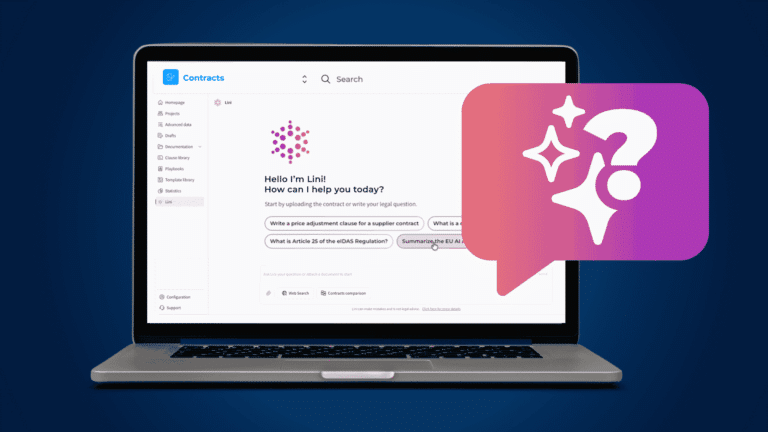
Many research tools stop at the law. For an in-house team, the useful next step is to check legal research against the company facts already available in DiliTrust. Lini combines published legal sources with authorized platform data and documents, so the result can reflect the facts recorded by your organization.
Legal Research and Analysis with Lini is available in the Board Portal, Legal Entity Management and Matter Management modules. Lini searches published legislation, case law and legal doctrine across more than 230 jurisdictions.
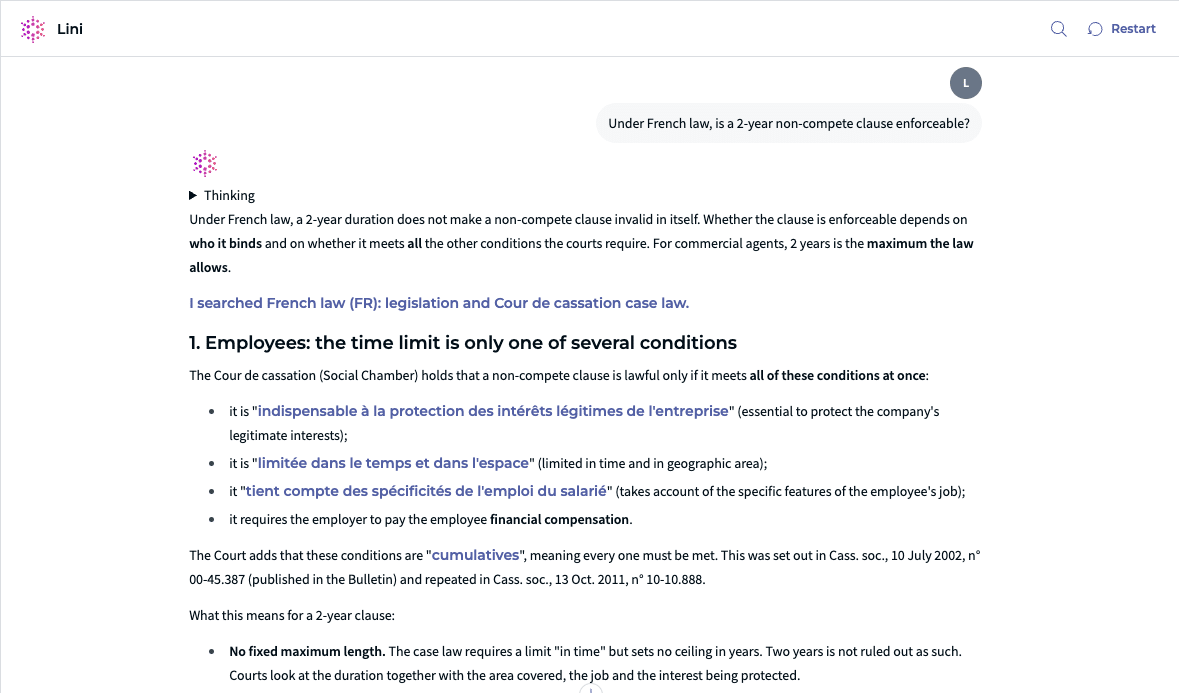
Here’s how it works:
- Ask your question. Say which country or jurisdiction applies. Example: “Under French law, is a 2-year non-compete clause enforceable?”
- If the jurisdiction is not clear, Lini asks you to confirm it before searching.
- Lini searches the published sources and checks every citation.
- Lini answers and lists the sources behind its answer.
The same approach works for governance questions. A corporate secretary can check a quorum rule against both the applicable statute, the company’s governing documents and its meeting records.
For the General Counsel, the gain is a sourced answer that can support internal review. Each point comes with its source, so routine questions may not need to go to outside counsel solely to obtain a citable starting point.
Lini works inside the DiliTrust application and follows its access permissions. Customer documents remain stored on DiliTrust infrastructure. Depending on the configuration, AI processing is carried out by a partner model provider or within the DiliTrust perimeter. No model training is performed by DiliTrust without the customer’s consent, and our model partners do not use customer data to train their models. The DiliTrust solution is certified to ISO 27001 and ISO 27701 and has a SOC 2 Type II report.
If you’re evaluating AI beyond research, including contracts, entities and boards, our guide to legal AI software for in-house teams covers the wider category.
Legal research software checklist
Before you sign, confirm that the tool meets your requirements across coverage, transparency, security and day-to-day use.
10 checks before you choose a legal research tool
Coverage and freshness
- Covers every jurisdiction on your list, by source type
- Shows how often content is updated
- Exports memos and summaries in the formats you use
Sources and transparency
- Verifies citations and links each one to the source text
- Separates sources, analysis and assumptions
Security and access
- Respects your existing access rights for internal documents
- Has clear written terms on data storage and model training
Review and commercial fit
- Supports review and sign-off by a qualified lawyer
- Passes your pilot on questions your team has already answered
- Has a pricing model that will not spike when you add a jurisdiction

Frequently asked questions
What is legal research software?
Legal research software is a platform for finding and analyzing legislation, regulations, case law and legal commentary. Most products combine a legal research database, search, a citator and, more recently, AI features that answer plain-language questions with citations.
What’s the difference between legal research software and a legal research database?
The database is the content: statutes, decisions and commentary. The software is everything around it, including search, citation checking, AI analysis, output formats and access controls. Most vendors sell both together.
Is free legal research software enough for an in-house team?
Official government legislation portals and court websites are often useful for checking a specific statute or decision. They may lack a citator, consistent multi-jurisdiction coverage and the data controls your team needs for confidential questions.
Do in-house teams need AI legal research software?
Not necessarily, but it can help small teams covering many jurisdictions. Choose AI features that cite and verify their sources, and keep a lawyer’s review in every workflow.
How much does legal research software cost?
Pricing can vary widely. Vendors may price per seat and charge extra for jurisdictions or content packs. Ask for a quote based on your actual jurisdiction list and number of users.
See how Lini answers the questions your legal team gets every week