


Contracts stall before signature more often than after. The document is ready, the terms are agreed, and then it sits, waiting for a reviewer who has not been notified, or circulating through email threads with no clear owner. Most approval delays are not legal problems. They are process problems.
A structured contract validation process fixes this at the source. It defines who reviews each agreement, in what order, and under what conditions, then routes the contract automatically so that no step depends on manual follow-up. This article covers how contract validation workflows operate, when to choose sequential versus parallel routing, and how to build an approval process that holds up under compliance scrutiny.
Key takeaways
- A contract validation process is a structured workflow that routes a contract from draft to authorised signature, with defined reviewers, approval order, and audit trail
- Automating contract management workflows can cut negotiation cycle times by up to 50% compared to email-based review processes (Weshare, 2025)
- Sequential approval routes contracts through reviewers in a fixed order; parallel approval allows all reviewers to act simultaneously; most organisations need both
- Configurable routing rules reduce the time legal teams spend chasing validators across departments
- AI-assisted clause review before approval begins reduces revision cycles inside the validation stage
- Every decision in an automated workflow is logged automatically, giving compliance and audit teams a verifiable record
What is a contract validation process?
A contract validation process is the structured workflow used to review and authorise a contract before it becomes legally binding. It defines which stakeholders must approve the agreement, in what order, and under what conditions. Each decision is logged, creating a verifiable audit trail for compliance and dispute resolution purposes.
In practice, validation sits between the drafting stage and final e-signature. It ensures that every contract has been reviewed by the right people (legal, finance, procurement, or management) before anyone signs. Without a structured process, contracts circulate by email. Approvals get missed. Reviewers work from different document versions. There is no record of who approved what or when.
| Term | What it means |
|---|---|
| Contract validation | The process of reviewing and authorising a contract before execution |
| Approval workflow | The defined sequence of steps a contract follows to reach final sign-off |
| Sequential approval | Reviewers approve in a fixed order; each step waits for the previous one |
| Parallel approval | All reviewers receive the contract simultaneously and can act independently |
| Audit trail | A logged record of every approval, comment, and revision throughout the process |
The benefits of automating contract validation
Faster turnaround times
Most approval tasks are time-consuming precisely because they depend on manual coordination: notifications sent by email, reminders chased individually, document versions reconciling across inboxes.
Automated approval workflows remove those dependencies. Each reviewer is notified the moment a contract reaches their stage. The next approver is triggered as soon as the previous step is complete (sequential) or notified simultaneously with others (parallel). Weshare’s 2025 analysis found that automating contract management workflows can reduce negotiation cycle times by up to 50%. For legal teams measured on business responsiveness, that difference is significant.
Better collaboration across departments
Contracts rarely stay within legal. Sales, procurement, finance, and IT all hold approval rights on different agreement types. Coordinating them without a dedicated platform means legal becomes the manual hub for every inter-departmental handoff.
Automated validation workflows create a shared environment for every department involved. Each reviewer accesses the same document version. Comments and decisions are visible across the team. Legal no longer needs to manage the coordination manually; the platform handles it.
Traceability and compliance control
When a contract is disputed, or an auditor asks how a particular clause was approved, the answer needs to come from a system record rather than from someone’s inbox. Automated workflows log every action: who reviewed, when, whether they approved or rejected, and any comments left at each stage.
This audit trail meets compliance requirements in regulated industries and provides practical protection against contract disputes. By maintaining control over your contractual record before signature, you reduce risk and improve the reliability of your documentation.
Portfolio-wide visibility
Without a centralised workflow tool, basic questions about approval status are difficult to answer: which contracts are waiting for sign-off? Who is causing the delay? How long does validation typically take by contract type?
Automated validation platforms surface this information in real time. Legal and operations leadership can see where each contract sits in its approval chain, spot delays before they become problems, and track performance across the full contract portfolio.
Get full visibility into your contract approval pipeline.
See how DiliTrust’s Contract Management module works
Sequential vs. parallel approval: choosing the right model
The choice between sequential and parallel routing is one of the most consequential workflow decisions for legal and legal ops teams. Using sequential approval where parallel would do adds unnecessary days to cycle time. Using parallel where sequential is required creates governance gaps.
| Sequential approval | Parallel approval | |
|---|---|---|
| How it works | Each reviewer acts after the previous one has completed their review | All reviewers receive the contract at the same time and act independently |
| Best for | High-value or high-risk contracts; regulated sectors; where later approvers need earlier input | Standard agreements; multiple independent departments reviewing separate aspects simultaneously |
| Speed | Slower: each stage gates the next | Faster: all stages run concurrently |
| Compliance fit | Strongest audit trail; clear sequential accountability | Strong audit trail; decisions are independent |
| Risk of delay | One unavailable reviewer blocks the chain | Delays are isolated to individual reviewers |
Most organisations need both. A vendor contract above a certain value threshold might require sequential approval (legal, then finance, then management). A standard NDA might use parallel routing so legal and procurement review simultaneously, cutting days off the cycle.
Hybrid models combine both approaches within a single workflow: for example, parallel review by legal and IT security, followed by sequential sign-off from the CFO. This architecture matches the actual decision logic of the contract rather than defaulting to whichever model is simpler to configure.
How to automate your contract approval workflow
Step 1: Map your current approval chains
Document the approval process for your main contract types: vendor agreements, NDAs, customer contracts, employment agreements. Identify who approves each type, in what order, and where delays most often occur.
Step 2: Define routing rules
Set the conditions that determine which approval path a contract follows: by contract type, value threshold, risk level, or counterparty. High-value agreements trigger longer sequential chains; routine agreements route in parallel to two reviewers.
Step 3: Build your clause library and templates
Approval workflows are more effective when contracts enter them already built from pre-approved templates. Standardised starting points reduce revision cycles inside the validation stage, because reviewers are not correcting drafting errors as well as evaluating terms.
Step 4: Configure the platform and assign roles
Set up your sequential and parallel workflows in your CLM platform. Assign reviewer roles and permissions. Set escalation rules for contracts that are not actioned within a defined time window, so a slow approver does not hold the chain indefinitely.
Step 5: Pilot with one contract type
Start with a single contract type where approval delays are most visible. Use the pilot to surface configuration gaps before rolling out to the full portfolio.
For a broader view of how approval workflows connect to the full contract lifecycle, the contract lifecycle management benefits guide covers what legal departments gain from a structured CLM process end to end.
Best practices for an effective validation process
Know what already exists
Before building new workflows, map the approval processes already in place across legal, procurement, and operations. Implementing a new system that conflicts with existing software or departmental practices is one of the most common rollout mistakes. Look across the whole organisation, not just legal.
Define the objective for each workflow
Each company configures its validation circuits differently, based on its organisation and day-to-day practices. For each workflow you build, define the reason for its implementation:
- Strengthening security and compliance
- Ensuring regulatory adherence
- Improving team efficiency
- Reducing inter-departmental friction
Not all contracts have the same validation priority. Some require strict sequential approval for compliance reasons. Others need speed above all else. Build each workflow to reflect that specific objective.
Keep the approver list tight
Every additional approver extends the cycle. Define the minimum set of reviewers required for each contract type. Validation can be requested from an individual or an entire team (the legal team, for example). If a reviewer’s input is advisory rather than mandatory, make it optional rather than blocking.
Set escalation timers
Contracts should not stall indefinitely when an approver is delayed or unavailable. Configure automatic escalation after a defined window: notify a backup approver, flag the delay to a manager, or advance the workflow if a quorum has already approved.
Reduce approval delays with automated routing and escalation rules. Explore contract automation at DiliTrust
How DiliTrust supports contract validation workflows
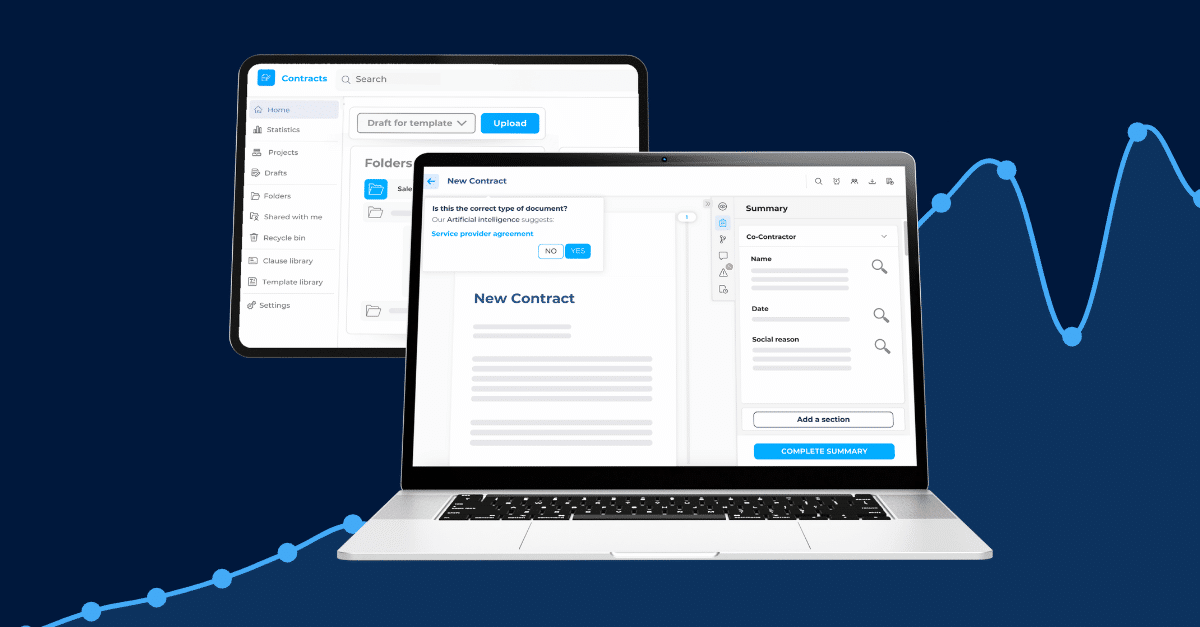
DiliTrust’s Contract Management module manages the complete validation circuit within a single platform. Once a contract is imported (in Word or PDF format), you configure your approval stages: sequential, parallel, or a hybrid of both. The circuit’s steps are defined by the requester and can be set at import or pre-configured as a default workflow for a given contract type.
Validators are notified automatically by email and access the contract with one click. They can approve or reject the document and leave a comment explaining their decision. The requester receives real-time updates at every stage and can access the full validation history at any time.
Before the approval circuit begins, Lini (DiliTrust’s proprietary AI engine) can review the contract via the Risk Detector, flagging non-standard or high-risk clauses against your organisation’s standard positions. Catching compliance issues before validators see the document reduces the revision cycles that most commonly slow approval workflows down.
Once validation is complete, an electronic signature request is triggered directly from the platform. DiliTrust supports DocuSign, YouSign, and Adobe Sign. Every approval decision and signature event is captured in a full, verifiable audit trail.
For a complete breakdown of what to look for when evaluating contract management platforms, the CLM software features guide covers the capabilities that matter most for legal and legal ops teams.
Evaluating contract management platforms for your team?
DiliTrust offers a contract management demo tailored to legal ops and contract management teams. See approval workflows, AI-assisted clause review, and multi-provider e-signature in action.
What’s changing in 2026
AI is moving into the pre-approval stage
AI-assisted contract review is no longer something that happens after signing. Legal teams are deploying AI tools to review contracts before the validation circuit begins, flagging deviations from standard clause positions and summarising complex agreements for non-legal reviewers. This reduces the revision cycles that most commonly slow approval workflows down.
87% of general counsel now use generative AI in some form (FTI Consulting General Counsel Report, 2026). For approval workflow purposes, the practical effect is that contracts arrive at the validation stage in better shape, with fewer compliance gaps to resolve mid-circuit.
Regulatory obligations are adding new contract categories to validation queues
CSRD supply chain obligations require organisations to track ESG commitments through supplier contracts. The EU AI Act’s high-risk provisions, enforceable from August 2, 2026, create new contractual requirements between AI developers, deployers, and users. GDPR data processing agreements continue to demand systematic validation and tracking across vendor relationships.
Each of these regulatory areas adds new contract types to legal teams’ approval queues. Organisations with configurable validation workflows can add new routing rules for these categories without rebuilding their process. Those without a structured workflow face the compliance burden on top of the process burden.
Build a validation process that scales
Contract validation automation does not require a complete system overhaul at the start. Most legal and legal ops teams begin with one or two contract types where approval delays are most visible, build confidence in the workflow, and expand from there.
The infrastructure, once in place, applies to every contract type added to the platform. The investment in configuration compounds as the portfolio grows.
See how DiliTrust helps legal and legal ops teams manage approval workflows from draft to signature. Book a contract management demo
Frequently asked questions
What is a contract validation process?
A contract validation process is the structured workflow that a contract follows from initial draft to final authorisation. It defines which reviewers must approve the agreement, in what order, and under what conditions. Each approval decision is logged, creating an audit trail for compliance and dispute resolution purposes.
What is the difference between sequential and parallel contract approval?
Sequential approval routes a contract to each reviewer in a fixed order; the next approver only receives the document once the previous one has acted. Parallel approval sends the contract to all reviewers simultaneously, allowing them to review and decide independently. Sequential approval is best for high-risk or high-value contracts; parallel approval reduces cycle time where approvals are independent of each other.
How do you automate contract approvals?
Automating contract approvals requires a CLM platform with configurable approval workflows. The process involves mapping existing approval chains by contract type, defining routing rules (sequential, parallel, or hybrid), assigning reviewer roles and permissions, setting escalation timers for delayed approvals, and piloting with one contract type before rolling out across the portfolio.
What should an automated contract approval workflow include?
An effective workflow should include: approval routing by contract type and value threshold; automatic reviewer notifications; the ability to approve, reject, and comment at each stage; real-time status visibility for the requester; escalation rules for delayed reviews; and a complete audit trail of every decision and timestamp.
How does AI improve contract validation workflows?
AI improves validation by reviewing contracts before the approval circuit starts. Tools like DiliTrust’s Risk Detector flag non-standard clauses and compliance issues automatically, so reviewers receive a pre-reviewed document rather than a cold read. This reduces revision cycles and cuts the overall time from draft to signature. It also supports compliance by ensuring that every incoming contract is checked against your organisation’s standard positions before it reaches a human reviewer.
Discover your savings
Get a realistic ROI based on industry standards when you partner with DiliTrust on CLM.